
Typekit. Website Designs and Blog Banners by Alice W. Online Scheduling and Appointment Booking Software - BookFresh. Geeklets - Share and vote on Geeklets for GeekTool. Best User Interface Design Resources: The Round-up How to Make a Screencast for Your Website. Having a video on your website can vastly improve your conversion rate.

Whether the goal is for users to sign up for your web application or simply to get users to contact you via a web form, a video improves the likelihood of this happening. You need only go to the home page of any new Internet-based startup, and you’ll see an embedded video with a very large call to action beckoning you to play its two- or three-minute video introduction. Videos that demonstrate web applications or web-based services are often called screencasts because they usually capture events on the company’s website.
50 Useful Coding Techniques (CSS Layouts, Visual Effects and For. Advertisement Although CSS is generally considered a simple and straightforward language, sometimes it requires creativity, skill and a bit of experimentation.
The good news is that designers and developers worldwide often face similar problems and choose to share their insights and workarounds with the wider community. Best User Interface Design Resources: The Round-up Know When to Stop Designing, Quantitatively. Interface design is more than hand waving and color preferences.

When you design anything to be used by humans, there are some fundamental tools which can tell you if one interface is better than another. Quantitatively. Don’t believe me? Answer this: Which of the following two sentences contains more information? Cogito ergo sum.Shoes smell bad. [*] The careful reader may be waggling their finger at me. The first represents a foundational building block of Western rationalism, the second is a rather banal (albeit true) thought. The lesson here is that “meaning” and “information” are distinct concepts. A bit is the fundamental unit of information. As you can see, if you have some number of things to choose from–and that number happens to be a power of two–it is easy to find the number of bits of information that the choice represents: it’s just the power.
Choosing any letter (e.g., “g”) is a 5 bit choice. So back to the two sentences. Time for an example. How to Make a Screencast for Your Website.
Add visuals to your online conversations. Snagit lets you quickly capture your screen, add additional context, and easily share with coworkers.

The Old Way Too many meetings, wordy emails, tiring video calls, and confusing explanations. The Better Way. Dynamic Programming Practice Problems. Online pattern creator. 10 Google Chrome Extensions for Boosting Your Productivity. Chrome is the newest child added to the constantly feuding web browser family.

Although Google Chrome is comparatively new, it has been producing some major buzz around web for its performance, minimalist interface, and usability. Another useful side of Chrome is the extensions that give the user added functionality for common web browsing tasks. Many of these Chrome extensions can help you increase your productivity and enable you to perform your jobs easier and faster.
Note: Since Google Chrome for Mac OS systems is still in beta, some extensions might not work properly. However, we have tested all of the extensions in brief, and we can confirm that they function. 1. Taking screenshots and then sharing them is a big process. 2. What do you normally do when you just want to copy some plain text without any formatting (font, color, images) from your browser to an office or email software?
3. Know When to Stop Designing, Quantitatively. Linear Gradients. Web Site Design and Graphic Design - New York Based Web Designer. AJAX-ed Todo List With PHP, MySQL & jQuery – Tutorialzine. Martin Angelov In this tutorial we are making a simple AJAX-ed Todo List App, with PHP, MySQL and jQuery.
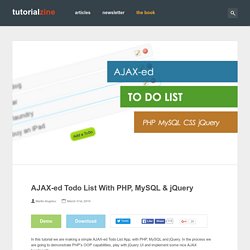
In the process we are going to demonstrate PHP’s OOP capabilities, play with jQuery UI and implement some nice AJAX functionality. For a better understanding of the steps of this tutorial, you an go ahead and download the demo archive available from the button above. Step 1 – PHP As this is more of a developer-oriented tutorial, we are going to start with the PHP part. The author presumes you have a basic understanding of the core concepts behind object oriented programming, and PHP 5’s OOP implementation.
All of the functionality available to the end user – creating, editing, deleting and reordering the todo items – is implemented as different methods of a class, explained in detail below. todo.class.php – Part 1 class ToDo{ private $data; public function __construct($par){ if(is_array($par)) $this->data = $par; } public function __toString(){ return ' <li id="todo-'. demo.php – Part 1. Online pattern creator. How to build a fast, simple list filter with jQuery. Sometimes you want users of your web-app to quickly filter a list down.
For example, a web-app I’m currently working on features a page listing two dozen countries, and I want users to find the country they are looking for as fast as possible. This article shows you how little code is needed to add this in a fast, progressively-enhanced way using jQuery. Demo If you’re the impatient type, I’ve set up a simple demo: A simple list filter with jQuery. The HTML. 10 Google Chrome Extensions for Boosting Your Productivity. How to build a fast, simple list filter with jQuery. Designing a Web Site. Online Web Tutorials.