
Get the latest definitions - Microsoft Malware Protection Center. This page explains how updates work and where to get them.
If you don't already have Microsoft security software, or you want to reinstall it, see our software download page. If you're using Windows XP, see our Windows XP end of support page. Guidance and advice - Learn more about malware - Microsoft Malwa. Install the latest Microsoft Forefront Security definition updat.
Computer Viruses and Error Messages — Are You Infected? — Micros. Daniel Escapa's OneNote Blog : Overview of OneNote 2010 – What’s. David Rasmussen, the OneNote Group Program Manager also know as my boss, has posted a great overview of what’s new in OneNote 2010:

David Rasmussen's Blog : OneNote 2010 – What’s New For You. Yesterday was a very exciting day for everyone on the OneNote team.

We have been designing, developing and testing the OneNote 2010 release for quite some time now. We’ve been using it ourselves every day for well over a year. It has already dramatically changed the way we and many other teams and individuals at Microsoft work. And with the availability of the Office 2010 Technical Preview today to selected participants, we’re excited to finally be able to share more details with you. In this post I’ll give a 30,000 foot overview of the major investments for OneNote 2010, and then in subsequent posts we’ll go into more detail on the feature areas with screenshots and more. 1. We repeatedly hear that access to your notes and the ability to take them anywhere is very important, whether you’re at work, home or on the go.
OneNote Testing : Image Rotator Powertoy for OneNote 2007. Image Rotation Tool Gary Neitzke decided to close a small functionality hole in OneNote.
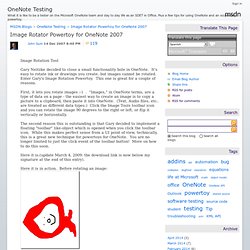
It's easy to rotate ink or drawings you create, but images cannot be rotated. Enter Gary's Image Rotation Powertoy. This one is great for a couple of reasons. First, it lets you rotate images :-) . The second reason this is outstanding is that Gary decided to implement a floating "toolbar" like-object which is opened when you click the toolbar icon. Here it is:(update March 4, 2009: the download link is now below my signature at the end of this entry). Chris Pratley's Office Labs and OneNote Blog. OneNote and Education.
OneNote Testing. Chris Pratley's Office Labs and OneNote Blog : Your first five m. Being a new type of application has its downsides. On the one hand the field is open and we can define a whole new experience for using a PC. On the other hand, most people who see us for the first time just look at us and say "huh? " and move on. Grr. We anticipated this problem from the start, which is why we built the little tutorial that comes with OneNote and launches when you first start OneNote 2003. Online Text Messaging, Text From Computer, Email & Online SMS Te. Find a Hosting Provider. How To Send Email To Any Cell Phone (for Free) Want to send a short email to a friend and get it delivered to his/her cell phone as SMS?
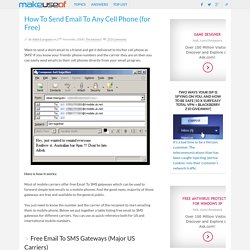
If you know your friends’ phone numbers and the carrier they are on then you can easily send emails to their cell phones directly from your email program. Here is how it works: Most of mobile carriers offer free Email To SMS gateways which can be used to forward simple text emails to a mobile phones. And the good news, majority of those gateways are free and available to the general public. SMSOfficer - Send SMS Text Message from Outlook 2007. How Can I Send an Email via Text Message? - Cellphones - Lifehac. Send SMS from E-Mail - Email - Lifehacker. Overview. SMS Text Messages - SMS Text Messaging from Computer Solutions. How to Email Texts to Verizon, Sprint, T-Mobile & AT&T Phones - At roughly 20 cents a pop, text messages are expensive.
But it takes a bit of perspective to realize just how pricey they really are. Short-message-service messages (that's the official name for text messages, often abbreviated to SMS) have a maximum of 160 bytes of data. Unless you purchase a bulk text-message package (which can cost as much as $20 per month), the 20 cents-per-message rate adds up to $1310.72 per megabyte.
This is double the cost three years ago and, quite literally, astronomical: A space scientist at the University of Leicester in the U.K. did the math and discovered that this is several times as much as it costs to transmit data from the Hubble space telescope back to Earth. And most of this cost is pure profit for the phone companies, who are able to deliver text messages for nearly nothing by piggybacking them on other transmissions. Geek to Live: Power Texting Tips - Feature - Lifehacker. Entertainment and Apps from Verizon Wireless - How to Text Messa. Skip to Main ContentVerizon Wireless Skip to Navigation Media Products & Services Entertainment Video Streaming Games & Apps.

How to Convert Onenote Images to JPEG. Read It Later: Digest. Read It Later: Applications: Bulletin. Read It Later: Applications: Desktop Google Reader. Read It Later: Applications: AddThis. Read It Later: Digest. Read It Later: Applications: Pinboard. Read It Later: Applications: Paperdroid. Read It Later: Applications: QuickSave.
Antispyware, Antimalware, Antivirus, Etc. Free Twitter Backgrounds Add visuals to your online conversations. Snagit lets you quickly capture your screen, add additional context, and easily share with coworkers.
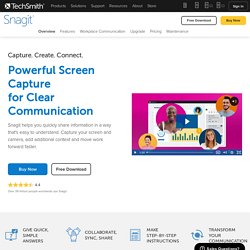
The Old Way Too many meetings, wordy emails, tiring video calls, and confusing explanations. The Better Way Use images and videos to share ideas, give feedback, and communicate more effectively. Capture your screen. iPad Peek. Introduction to Computer Science and Programming.
Doxie Scanner Uploads Straight to the Cloud - doxie - Gizmodo. Microsoft DreamSpark. Microsoft DreamSpark. Software and Technology. Data remanence. Data remanence is the residual representation of digital data that remains even after attempts have been made to remove or erase the data.

This residue may result from data being left intact by a nominal file deletion operation, by reformatting of storage media that does not remove data previously written to the media, or through physical properties of the storage media that allow previously written data to be recovered. Data remanence may make inadvertent disclosure of sensitive information possible should the storage media be released into an uncontrolled environment (e.g., thrown in the trash, or lost).
Various techniques have been developed to counter data remanence. These techniques are classified as clearing, purging/sanitizing or destruction. Specific methods include overwriting, degaussing, encryption, and media destruction. Several standards exist for the secure removal of data and the elimination of data remanence.