
CrazyTalk Animator Video Gallery - Taking 2D Animation to the Next Level. Check out the CrazyTalk Animator official demo videos & tutorials!

New Features Guide CrazyTalk Animator 2 brings a whole new 3D experience to 2D animation! In this new version, we have taken a huge leap forward by elimintating planar, 2D restrictions and allowing designers to now use popular 3D motions on 2D characters. This has opened a new way for editing motions freely without single angle limitations. In addition, the brand new multi-dimensional character system maintains the mix-and-match creation power of CrazyTalk Animator, while delivering quick, render style options for instant visual alternatives. Functional Project Demo Evolutionary 2D Animation The biggest breakthrough of CrazyTalk Animator is to make the traditional planner 2D animation acting in a 3D way. Watch it now Render Style Render Style options allow you to easily switch your characters, scene, props to different looks, and turn your animation into comic strip, commercial ads, or illustrative videos.
Watch it now Tutorial. CrazyTalk - Facial Animation Creator with 3D Stereo Output. CrazyTalk is the world's most popular facial animation tool that uses voice and text to vividly animate facial images.
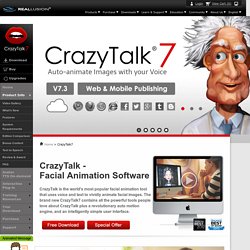
The brand new CrazyTalk7 contains all the powerful tools people love about CrazyTalk plus a revolutionary auto motion engine, and an intelligently simple user interface. CrazyTalk7 now has an innovative auto motion technology, which allows your own voice to drive the intensity of your animations. CrazyTalk7 provides you with not only unique tools that help you vividly animate facial images, but it also includes hundreds of auto animation profiles that give your character all kinds of emotions and movement styles. Storytelling. Tutorials and Learning - Flypaper Support. eLearning Solutions - E-Learning Software and Tools for Authoring and Development. eLearning solutions Transform ideas and information into innovation, action, and enterprise business results through engaging content, flexible delivery, and rapid deployment.
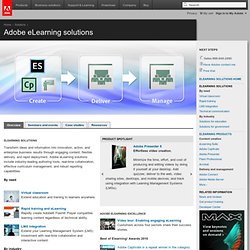
Adobe eLearning solutions include industry-leading authoring tools, real-time collaboration, effective curriculum management, and robust reporting capabilities. By need LMS integration Extend your Learning Management System (LMS) investment with real-time collaboration and interactive content. By industry Education Create rich, interactive distributed learning experiences. Government Get more secure, interactive real-time and just-in-time training. Watch Videos Most recent case studies Exane Derivatives Leading French financial services firm uses Adobe Connect to accelerate the delivery of important information, keeping customers more informed and providing superior services. The BRITE Initiative Kineo ReadSoft All eLearning case studies Education case studies Utah Education Network University of Notre Dame Manufacturing case studies.
Quizmaker '09 - Quiz Software. Speedy, simplified authoring.
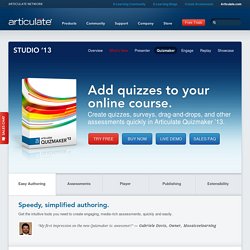
Get the intuitive tools you need to create engaging, media-rich assessments, quickly and easily. “My first impression on the new Quizmaker is: awesome!!” — Gabriele Dovis, Owner, Mosaicoelearning Streamlined UI The completely redesigned user interface in Articulate Quizmaker makes it even easier to create a quiz. Two Development Modes Choose from two different development modes: form view and slide view. Characters Add photographic and illustrated characters to your assessment right from the Quizmaker character library. Multimedia Import videos in virtually any format, including those you make in Articulate Replay. Audio Add narration and sound to your assessments by importing audio, or simply record it right in Quizmaker. Web Objects Easily embed visually rich web-based applications, games, videos, reference material, and other web content into your Quizmaker assessments.
Images and Objects Animations and Transitions Timeline Themes Custom Slide Sizes Slide Masters.