
Creating an MFC-Based Game - From Start to Finish. By Ben Marchant Foreword to Same Game In this five part series, we'll be creating a version of a game called SameGame using the Microsoft Foundation Class library from start to finish.
We'll include features beyond the simple removing of blocks in the game. We'll implement an undo/redo subsystem and some user configuration dialogs. We'll show you step by step with not only source code but screenshots how to build a fun game from start to finish and how to use Microsoft's MFC classes. The rules to the SameGame are quite simple, you try to remove all of the colored blocks from the playing field. Prerequisites You'll need to have a basic C++ knowledge of functions, recursion, classes, and inheritance. If you are student, you may be able to get the Professional Version of Visual Studio for FREE from Microsoft DreamSpark. If you are not a student, and you do not have the full version of Visual Studio, can work through this tutorial using a trial version of Visual Studio. Same Game - Creating a Playable Game using Event Driven Programming in MFC.
By: Ben Marchant Creating a Playable Game By the end of this article we will have a "playable" version of the SameGame.
I have playable in quotes because we will have the game in a state the will allow the player to click to remove blocks and end the game when there are no more valid moves left. The game won't be very feature-rich but will be playable. In the remaining articles we'll add more features to increase the difficulty and allow the game to be customized a little. As for this article we'll be looking into event driven programming and how to get our game to respond to mouse clicks. Event Driven Programming Event driven programming, if you've never done it before, is a complete paradigm change in programming. Up till now you've probably only written procedural programs in C++. Mouse Clicks The MFC library is inherently event driven and therefore makes it pretty easy for us to create event handlers and respond to any event that we want. Same Game - Adding Menus to Control Difficulty Levels.
By Ben Marchant Adding Menus to Control Difficulty Levels Welcome back!
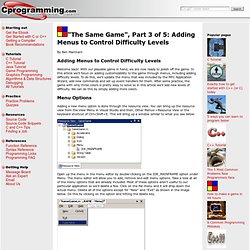
With our playable game in hand, we are now ready to polish off the game. In this article we'll focus on adding customizability to the game through menus, including adding difficulty levels. To do this, we'll update the menu that was included by the MFC Application Wizard, add new commands and set up event handlers for them. Menu Options Adding a new menu option is done through the resource view. Open up the menu in the menu editor by double-clicking on the IDR_MAINFRAME option under Menu.
Next we'll examine the Edit menu. I'll explain what each part of the string "&Redo\tCtrl+Y" means. Adding a new menu is as simple as clicking on the "Type Here" at the top in the menu bar. Let's go ahead and add the menu for the next article too. Continue to page 2: Implementing Difficulty Levels. Same Game - Adjusting Board Size and Block Count. By Ben Marchant Introduction Our version of the SameGame is really taking shape.
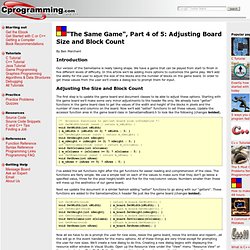
We have a game that can be played from start to finish in five different levels of difficulty. In this article we'll be adding more options to customize the game play. We'll add the ability for the user to adjust the size of the blocks and the number of blocks on the game board. Adjusting the Size and Block Count. Same Game - Adding Undo/Redo Functionality and Keyboard Accelerators. Introduction This is it.
We are almost done with our version of the SameGame. We've discussed quite a few topics ranging from event driven programming to GDI graphics programming. A lot of the topics we've discussed transcend the gap between game programming and application programming in general. Building MFC applications is one of such topics, not many games are written in MFC but tons of applications are (the list is very long). Undo/Redo Stack We call this feature the "undo/redo stack" because of the abstract data type (ADT) stack. We are going to need to make a few changes to our game board in order to make this work. /* Default Constructor */ CSameGameBoard(void); /* Copy Constructor */ CSameGameBoard(const CSameGameBoard& board); /* Destructor */ ~CSameGameBoard(void); We use a deep copy constructor because we have a pointer to some dynamically allocated memory.