
How do I embed sound and music in a web page? : the easiest way to distribute sounds and music on the web is by simply linking to an audio file in MP3 (.mp3 file) format.

If you have music in General MIDI format, .mid files are also widely supported. See the articles how do I convert my music to MP3 format? And how do I record an MP3 file? For more information on producing MP3-format audio files. It is also possible to embed these files in the page so that they play in the background automatically. File Format Choices For very short sound samples (a few seconds or less), .wav files are appropriate. Linking Directly to Audio Files You can invite a user to play an audio file with a simple link like this: <a href="mysong.mp3">Listen to my band's latest release now!
Of course you must actually create mysong.mp3 in the first place, and upload it to your web hosting space, placing it in the same folder with the page. Embedding Audio Files To Play in the Background Unfortunately, the big players have never come to agreement on this. MP3 Player - Players - MULTI - Generator. 10 Easy To Implement Flash Based Mp3 Players For Your Website. Flash Mp3 players are cool because they let web developers and bloggers embed music players and build customized JukeBox on the websites. With these online music players, you can add a list of songs easily and embed the given Javascript code to your website. Most of these music players are customizable and you can have your won skin that suit the web design. Today, we are going to look into 10 flash Mp3 players that you can easily implement to your website. 1.
Audio Player Audio Player is an open source flash mp3 player which is released under the Open Source MIT License. 2. This is a fully customizable music player for your website. 3. This is a minimalistic Mp3 player for your website. 4. Yahoo! 5. It is an audio player for Mp3 files which is intended for the diffusion on websites. 6. Flash MP3 Player is a free application that allows you to play music on your website easy and fast. 7.
NiftyPlayer is a small and simple Flash Mp3 Player. 8. Dewplayer is very light and easy to use. The Top 15 Google Products for People Who Build Websites. Google’s strategy of empowering site developers and owners with free and valuable tools has proven to be effective in garnering a fair bit of geek love for the company.
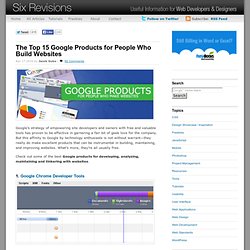
But this affinity to Google by technology enthusiasts is not without warrant—they really do make excellent products that can be instrumental in building, maintaining, and improving websites. What’s more, they’re all usually free. Check out some of the best Google products for developing, analyzing, maintaining and tinkering with websites. 1.
Google Chrome Developer Tools Most developers know the advantages and convenience of testing and debugging in a web browser. Google Chrome, the latest major entry in the web browser market, has a robust, capable, intuitive, and downright helpful suite of tools geared for developers comparable to—and some might even argue, better than— web development tools such as Firebug. 2. 3. Google Web Toolkit is a development framework for web application developers.