
Creating pseudo 3D games with HTML 5 canvas and raycasting - Ope. By Jacob Seidelin Note that there is a Czech translation of this article available - Jak vytvořit pseudo 3D hry v HTML5 canvasu s raycastingem - translated by Martin Hassman.
Introduction With the increase in browser performance in recent times it has become easier to implement games in JavaScript beyond simple games like Tic-Tac-Toe. We no longer need to use Flash to do cool effects and, with the advent of the HTML5 Canvas element, creating snazzy looking web games and dynamic graphics is easier than ever before. HTML5 presentation. HTML5 Canvas Cheat Sheet. There are cheat sheets for just about anything out there but I couldn't find one for the HTML5 canvas element, so I decided to do something about that, mostly for my own sake but if other people find it useful that's just all the better.
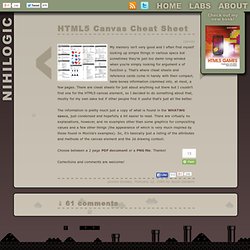
The information is pretty much just a copy of what is found in the WHATWG specs, just condensed and hopefully a bit easier to read. There are virtually no explanations, however, and no examples other than some graphics for compositing values and a few other things (the appearance of which is very much inspired by those found in Mozilla's examples). Tutoriel canvas - MDC.