
RssCloud. Traditionally services that process feeds (RSS & Atom) needed to regularly request the feed to see if there were any new entries.

To reduce the need for constant polling rssCloud was introduced, as a way to ask for notifications when a new entry was published to a feed. Notifications When you publish a new post WordPress.com will gather up the list of subscribers that have requested notifications via rssCloud and send them a small piece of data that lets them know that there is a new entry in the feed. It is still up to these third parties to process the notification and request a copy of the feed in order to actually get the content of the new entry. ↑ Table of Contents ↑ The cloud Tag The <cloud> tag is included with the contents of the feed to let others know how to subscribe to the notifications. Here is what it looks like in the feed for. Readomattic. If you feel like it’s a chore to keep up with all your favorite blogs, you can now read posts from all the blogs you follow (even the ones that aren’t on WordPress.com) in one convenient place on the WordPress.com home page.

Your Reader displays all the posts across all the blogs you follow in the order they were published, with the most recent content appearing at the top. You’ll see an excerpt of the introduction to each post, the first image in the post, and thumbnails of any other images that the post contains. You can even like and reblog WordPress.com content directly from your Reader using the icons in the bottom right corner of each post. Getting Started. Blog Surfer. PubSubHubbub (PuSH) PubSubHubbub (also known as PuSH) provides a way for services to subscribe to new entries in feeds (RSS & Atom) when they are published.

This allows for new content to be distributed in a rapid fashion and reduces the need to regularly poll feeds to check for new content. The rel='hub' Entry To subscribe to updates you must sent a request to a hub. The information about the hub is included in the feed itself, using an atom:link tag with a rel='hub' attribute. Here’s an example, the entry from the feed for The href attribute is the URL used when sending in a subscription request. . ↑ Table of Contents ↑ iChat. Email Notifications. The email address you used when registering your WordPress.com account is listed on your Account Settings page, and under Users → Personal Settings in your dashboard.
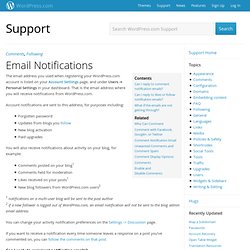
That is the email address where you will receive notifications from WordPress.com. Account notifications are sent to this address, for purposes including: Forgotten passwordUpdates from blogs you followNew blog activationPaid upgrades You will also receive notifications about activity on your blog, for example: Twitter API. Using a Twitter client, you can connect to WordPress.com to follow your favorite blogs and receive notifications when new posts are published.
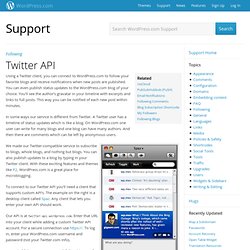
You can even publish status updates to the WordPress.com blog of your choice. You’ll see the author’s gravatar in your timeline with excerpts and links to full posts. This way you can be notified of each new post within minutes. In some ways our service is different from Twitter. A Twitter user has a timeline of status updates which is like a blog. We made our Twitter-compatible service to subscribe to blogs, whole blogs, and nothing but blogs. Following Comments. When you leave a comment on a WordPress.com blog, you can choose to automatically receive email updates about other comments on that specific post by checking the Notify me of follow-up comments via email checkbox that appears in the comment form.

Depending on the email client you use, the notifications will look something like this: Note that you do not need to be registered with WordPress.com to follow comments. Visitors who are logged in to WordPress.com will not need to confirm their request to follow a thread; all other visitors will receive a confirmation email with full instructions on how to activate their follow request.
To allow users to follow comments on your posts, visit Settings > Discussion and ensure that Follow Comments is enabled: ↑ Table of Contents ↑ If you want to stop receiving comment notification or start receiving notification on all comments on a particular blog, click the “Subscription Options” link at the bottom of the notification email. Following Stats. Feeds. A feed (often called RSS) is a stream of posts or comments that is updated when new content is published.

This is very useful, as it allows other people to monitor your blog, along with other websites they are interested in, and aggregate them together through applications known as feed readers, like WordPress.com Reader or RSSOwl. This is particularly useful to keep track of updated content from many blogs and sites without even visiting them. Adium. Follow Blog Widget. The Follow Blog Widget enables your readers sign up to receive your posts via email.

Note that readers who are logged in to WordPress.com can also follow your blog using the follow button in the top admin bar. Readers not logged in to WordPress.com will see a follow button on the bottom right corner of your site. Here’s an example what it looks like when it’s activated on a blog sidebar: Once you add the widget to your sidebar from Appearance -> Widgets, you’ll see that the widget settings look like this: Widget title – Enter the title for the widget. Managing Blogs I Follow. Jabber. Get instant updates from WordPress.com blogs Jabber (XMPP) is an open instant messaging protocol used by millions of people daily.

At WordPress.com we use Jabber to instantly deliver new blog posts and comments to subscribers. It’s currently free to use our Jabber blog subscription service. Note: Make sure to generate an Application Specific Password if you have Two Step Authentication enabled. Pidgin. Psi. Enabling Followers on My Blog. Each time you publish new content on your blog, your followers receive an update, either on their Read Blogs page or via email (or both, depending on their settings).

There are several different ways that readers can start following your blog. Note: Followers do not need to be registered with WordPress.com. Anyone following your blog with an email address that’s not associated with a WordPress.com account will be sent details of how to confirm and manage the sites they’re following without needing to register at WordPress.com. Follower Stats Your site stats page displays how many followers you have, who your followers are, as well as how many people are subscribed to post comments on your site.