
Optimisez la vitesse d'un thème WordPress. La semaine dernière, j’ai optimisé le thème WordPress utilisé par SeoMix.
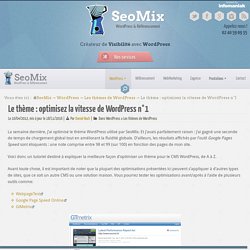
Et j’avais parfaitement raison : j’ai gagné une seconde de temps de chargement global tout en améliorant la fluidité globale. D’ailleurs, les résultats affichés par l’outil Google Pages Speed sont éloquents : une note comprise entre 98 et 99 (sur 100) en fonction des pages de mon site. Voici donc un tutoriel destiné à expliquer la meilleure façon d’optimiser un thème pour le CMS WordPress, de A à Z. Avant toute chose, il est important de noter que la plupart des optimisations présentées ici peuvent s’appliquer à d’autres types de sites, que ce soit un autre CMS ou une solution maison. Vous pourrez tester les optimisations avant/après à l’aide de plusieurs outils comme: L’optimisation PHP Cette première étape de l’optimisation de votre thème WordPress va se décomposer en plusieurs parties : il s’agit ici d’améliorer le temps de calcul pour générer vos pages, et de supprimer tous les éléments inutiles ou freinants.
16 of the Most Common WordPress Mistakes. Just as the sun rises in the east and sets in the west, there is one fact of life we can’t argue with–we all make mistakes.

And while there isn’t a lot we can do to prevent them, we can learn from our mistakes. Even better, we can learn from other people’s mistakes! Here, I’ve outlined 16 of the most common mistakes that WordPress users and developers make. Brush up on what other people are doing wrong so you can prevent these same blunders on your own site. 1. It will take some time for you to get to know all of WordPress’s plugins.
Google XML SitemapsContact Form 7AkismetAll in One SEO Pack 2. Nothing works perfectly, especially in the world of technology. 3. Your WordPress default setting is not search-friendly. Go to OptionsSelect Permalinks in your Admin PanelIn the Custom Text box, enter “/%category%/%postname%/%post_id” 4. If you are a WPWebHost user, you can skip this step. Research CDNs like MaxCDN or CloudflareCopy your content onto several mirror servers around the world 5. Optimizing WordPress Loading Speed With header.php & .htaccess. Website loading speed matters a lot for every blog/website, especially for people with shared hosting – which is the cheapest available hosting service.
Here are a few .htaccess and header.php tricks to increase your website loading speed by 50-70% Web performance is getting more and more attention from web developers and is one of the hottest topics in web development. First and foremost, loading speed is more than a feature. Speed is the most important feature. If your website or blog is slow, people won't use it. What speed means to internet giants: For Google – 500 milliseconds of extra load time caused 20% fewer searchesFor Yahoo – 400 milliseconds of extra load time caused a 5-9% increase in the number of people who clicked "back" before the page even loadedFor Amazon – 100 milliseconds of extra load time resulted in a 1% drop in sales Google, in their ongoing effort to make the web faster, blogged that "we've decided to take site speed into account in our search rankings. " More...