
A List of The Best Free Digital Storytelling Tools for Teachers. Digital storytelling, the practice of combining narrative with digital content, is gaining more ground in the educational field.Many schools and educational centres all around the globe are including learning method in their curriculums and the results are really promising : more of students engagement and a bigger degree of motivation.
Telling a story is a powerful way to communicate with others. Think about those moments when you would share a story about yourself with your students and how everyone of them is dailed in waiting on the next word to come out of your mouth. And when this storytelling is combined with a set of powerful digital tools it becomes a truly authentic learning experience that helps students develop a wide range of intellectual skills. Here some of the pluses of digital storytelling in education : Here is the list of some of the best free digital storytelling tools for teachers 1- ZimmerTwins It is all about creative storytelling. Online eBook Creator. The hidden audience effect. Ultimate Web 2.0 List. The Super Book of Web Tools for Educators.
100 Web 2.0 Tools Every Teacher Should Know About. All the Web 2.0 Tools you'll ever need in one blog post! I am web geek, and not just because I own a Foursquare t-shirt that I bought at a discount after my 1000th check in.

The real reason I know I am a web geek is because I LOVE discovering cool web 2.0 tools that can enhance my classroom! I am about to share with you my not so secret sources for teacher Web 2.0 excitment! ...and that's not all! Sound Clips & Effects. 10+ Best Apps For Your Dropbox. If you’ve been using Dropbox for a while, you may not have noticed that a whole ecosystem of applications have been built up to use the service.
Over time, these apps have sprung up to fill all of the little holes Dropbox left unfilled. Ask the world a question and get opinions in realtime. Muzy. TweetChat. ACMI Generator. The easiest way to share files online. Find, build and share lessons. Easel.ly. Simply learn. Image Crop Tool. S Learning Technology Blog: A Tick List of 21st Century Digital Skills for Teachers. Pages This Blog Saturday, 3 April 2010 A Tick List of 21st Century Digital Skills for Teachers I've just been brainstorming digital skills that I believe are required by teachers in the 21st Century.
The 100 Best Web 2.0 Classroom Tools Chosen By You. The Wordle of this list! (Click image to enlarge) One of the most popular posts on Edudemic in 2010 was The 35 Best Web 2.0 Classroom Tools Chosen By You and I felt it might be time for an update to that list for 2011. In order to put together a list of the best Web 2.0 classroom tools, I polled my Twitter followers, Facebook fans (are they still called fans? Likes?) And ran a contest to try and get as many submissions as possible. Technology Integration Matrix. Prezi zooms past 10M users, releases PowerPoint import tool. In building an intuitive and fluid alternative to PowerPoint, startup Prezi is helping presenters reimagine their productions.

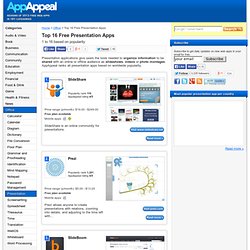
Tuesday, the company announced that it surpassed 10 million users, and released a PowerPoint import tool to help members transition from outdated presentations to the zooming future. Founded in 2009, Prezi is a venture-backed startup that makes an unconventional, non-linear, web-based presentation and collaboration tool built around cognitive science and spacial-relativity constructs. Prezi members can collect all of their ideas in a single canvas, zoom in to tell a single story, and zoom out to highlight the bigger picture. The 35 Best Web 2.0 Classroom Tools Chosen By You. 100 Web 2.0 Tools Every Teacher Should Know About 44.24K Views 0 Likes We're always trying to figure out the best tools for teachers, trends in the education technology industry, and generally doing our darnedest to bring you new and exciting ways to enhance the classroom. But I wanted t... Top 14 Presentation Apps - 1 to 14 based on popularity. 1 to 16 based on popularity Presentation applications give users the tools needed to organize information to be shared with an online or offline audience as slideshows, videos or photo montages.
AppAppeal ranks all presentation apps based on worldwide popularity. Pinwheel. 37 Ways Teachers Should Use Pinterest. Posted on Sunday February 5, 2012 by Staff Writers There are a lot of great technology tools out there for teachers that can make it easier to connect with other educators, get ideas for classroom activities, and find inspiration.
One of the newest and best of these online tools is Pinterest, which has quickly become a favorite among educators. Using online “pinboards” teachers can save everything from photos to blog posts in one easily accessible and usable place. 62 Kindergarten Websites That Tie into Classroom Lessons. These are my 62 favorite kindergarten websites.

I sprinkle them in throughout the year, adding several each week to the class internet start page, deleting others. I make sure I have 3-4 each week that integrate with classroom lesson plans, 3-4 that deal with technology skills and a few that simply excite students about tech. Here’s the list: GoSoapBox - Hear what your students are thinking.
Blogstorm. Something extraordinary is happening to our student teacher population at Plymouth University.
They are becoming excited at the prospect of sharing their ideas to a potential worldwide audience, and relish the idea of having dialogue with their readership. People are beginning to notice an increase in the quantity and quality of blog posts and tweets emerging from our group of learners in the School of Education. Someone tweeted last night during the Bolton Teachmeet that Plymouth seems to be the 'edudigital capital' of the UK. Even our own Vice Chancellor Professor Wendy Purcell (@WMPUPVC) this morning remarked on how productive our student body has become on social media platforms over the past few months.
Here at Plymouth we are taking social media seriously, and are encouraging innovative uses. What do the students learn from blogging? Scratch – Extra Special Learning Resource par Excellence! In my estimation, there are certain digital learning resources that offer something extra special.
This is the fourth in my series about what I’m calling Extra Special Learning Resources. So far I’ve written about… Today I’m re-visiting another truly remarkable free learning resource. Scratch is a program with tremendous potential to engage, while facilitating skill building and creative problem solving within a meaningful context. Scratch also offers learners multiple ways of showing what they know by putting together interactive multimedia projects.
Evernote Corporation. Paper Rater: Free Online Grammar Checker, Proofreader, and More. OhLife helps you remember what's happened in your life. Oolone.com visual search engine. Open your eyes to the web. What are SlideBombs? Who Makes SlideBombs? Create SlidebombLogin / Sign Up A SlideBomb is the Ultimate Mashup Tool Its not your typical slideshow...
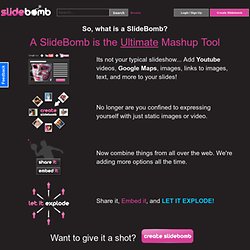
Add Youtube videos, Google Maps, images, links to images, text, and more to your slides! Wiggio - Makes it easy to work in groups. Twitter in the Classroom. There are so many GREAT educators on Twitter and it’s great to connect, learn, and grow from them. One day my class and I tweeted about Greece with someone IN Greece. Now that I have completely embraced Skype in my classroom, I’m realizing even more that global learning adds a whole new wonderful layer to an ordinary day in the classroom. I started thinking, could a Twitter account help us connect to other classrooms, keep our conversations going, learning about weather, cultures, differences, and similarities around the world? Home. Sonicsquirrel.net - your netaudio source since 2005. Online debate community for logical, passionate people - CreateDebate. Favorite Web 2.0 Tools. Web 2.0 Tools for Schools.
Web 2.0 et réseaux Sociaux. Digital Storytelling Tools. 5 Fantastic Ways to Use Wallwisher in the Classroom. Beautiful web-based timeline software. Piktochart- Stories from Data. Your presentation/data visualization tool. 30+ Mind Mapping Tools. Create A Face Online! Make Your Own Character Online, Create A Virtual Person. Your Caricature, Caricature Drawings From Photos. WEB 2.0 FOR SECONDARY TEACHERS. 6 Free Sites for Creating Your Own Comics. In the days of cold, hard newsprint, only people who could draw were successful comic strip authors.
In some cases, this resulted in comic strips that had very nice pictures, but weren't all that funny (cough, Blondie). Thankfully, the Internet has taught us not to accept an inferior form of comic artistry, but a more flexible one. Comic strip enthusiasts who want funny but don't care about pretty drawing can have their strips, those who want artistry have theirs, and even those with very specific tastes can find something just right. The best part about these developments is that they allow you, regardless of any talent as an artist or comedian, to create your very own comic strip.
Depending on what you're going for, you can use one of these six sites to help you do it.