
How To Change Windows 7 Logon Screen. Home » How To, Microsoft, Windows diggdigg Hi and welcome back to another article in the series of Coolest Windows 7 Tips and Tricks.
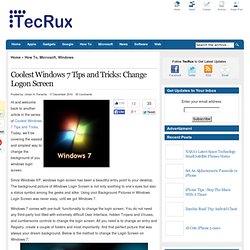
Today, we’ll be covering the easiest and simplest way to change the background of you windows login screen. Since Windows XP, windows login screen has been a beautiful entry point to your desktop. How To Change The Windows 7 Logon Background. Windows 7 comes packed with a lot of new and interesting backgrounds.

However Windows 7 fails to include an easy way to change the background you see every single time you login to your computer. Perhaps you want a little flavor, or maybe you just don’t like the built-in background. Whatever the case may be, with this groovy trick you can change the background for both your Windows 7 logon screen and the menu you see whenever you hit CTRL+ALT+DEL .
[learn_more caption="Editor Update 7/27/11"]After much feedback in the comments, if you’re not comfortable updating the system registry – I recommend you read this groovyPost which reviews the process of updating the Winodws 7 logon background using a freeware tool instead. Fix it Solution Center: troubleshooting software issues.