
Learn Web Design, Web Development, and More. SNAP! (Build Your Own Blocks) Learn to code.
Tutorials. The links on this page lead to a variety of tutorials and training materials.
Whether you are just starting out, learning the basics, or are an old hand at web development, you can find helpful resources here for best practices. These resources are created by forward-thinking companies and web developers who have embraced open standards and best practices for web development and that provide or allow translations, through an open content license such as Creative Commons. For complete beginners to the Web Getting started with the Web Getting started with the Web is a concise series introducing you to the practicalities of web development.
HTML Tutorials Introductory level Introduction to HTML This module sets the stage, getting you used to important concepts and syntax, looking at applying HTML to text, how to create hyperlinks, and how to use HTML to structure a webpage. MDN HTML element reference A comprehensive reference for HTML elements, and how the different browsers support them.
HTML5 Introduction. Cascading Style Sheets. CSS is designed primarily to enable the separation of document content from document presentation, including elements such as the layout, colors, and fonts.[1] This separation can improve content accessibility, provide more flexibility and control in the specification of presentation characteristics, enable multiple pages to share formatting, and reduce complexity and repetition in the structural content (such as by allowing for tableless web design).
CSS can also allow the same markup page to be presented in different styles for different rendering methods, such as on-screen, in print, by voice (when read out by a speech-based browser or screen reader) and on Braille-based, tactile devices. It can also be used to allow the web page to display differently depending on the screen size or device on which it is being viewed. CSS specifies a priority scheme to determine which style rules apply if more than one rule matches against a particular element.
Syntax[edit] CSS Tutorial. JavaScript. JavaScript is classified as a prototype-based scripting language with dynamic typing and first-class functions.
This mix of features makes it a multi-paradigm language, supporting object-oriented,[6] imperative, and functional[1][7] programming styles. JavaScript has been standardized in the ECMAScript language specification. History[edit] Beginnings at Netscape[edit] JavaScript was originally developed by Brendan Eich, while working for Netscape Communications Corporation. Although it was developed under the name Mocha, the language was officially called LiveScript when it first shipped in beta releases of Netscape Navigator 2.0 in September 1995, but it was renamed JavaScript[10] when it was deployed in the Netscape browser version 2.0B3.[11]
Programming Languages Courses - University Consortium. JavaScript: A Survey of the Language. Douglas Crockford www.crockford.com © 2002 Douglas Crockford This document is an introduction to the JavaScript Programming Language for professional programmers.

It is a small language, so if you are familiar with other languages, then this won't be too demanding. JavaScript is not Java. They are two very different languages. JavaScript Tutorial. Javascript Tutorial for beginners. This tutorial by ReferenceDesigner.com is primarily intended for beginners who understand HTML and basic webpage designs and who want to enhance the "interactive features" of webpage using Javascript.

The tutorial can also be used by programmers and experts as reference material. If you are a mathematical kind of person and want jump coding, skip this introduction and go directly to the next page . JavaScript. Java (programming language) Duke, the Java mascot Sun Microsystems released the first public implementation as Java 1.0 in 1995.[1] It promised "Write Once, Run Anywhere" (WORA), providing no-cost run-times on popular platforms.
Fairly secure and featuring configurable security, it allowed network- and file-access restrictions. Major web browsers soon incorporated the ability to run Java applets within web pages, and Java quickly became popular. With the advent of Java 2 (released initially as J2SE 1.2 in December 1998 – 1999), new versions had multiple configurations built for different types of platforms. For example, J2EE targeted enterprise applications and the greatly stripped-down version J2ME for mobile applications (Mobile Java).
On November 13, 2006, Sun released much of Java as free and open source software, (FOSS), under the terms of the GNU General Public License (GPL). There were five primary goals in the creation of the Java language:[23] Major release versions of Java, along with their release dates: Generated Documentation (Untitled) (September 20, 2008) This page provides several entry points into the documentation and materials prepared by the ACM Java Task Force, which was convened in 2004 with the following charter: To review the Java language, APIs, and tools from the perspective of introductory computing education and to develop a stable collection of pedagogical resources that will make it easier to teach Java to first-year computing students without having those students overwhelmed by its complexity.

Getting Started There are several ways to get started with the JTF packages. For most new users, the best place to start is with the JTF Tutorial, which is designed to teach potential adopters how to use the packages. The remainder of this page consists of links to the materials. Demos The JTF Demo Gallery. All Classes (Java Platform SE 7 ) The Java™ Tutorials. The Java Tutorials are practical guides for programmers who want to use the Java programming language to create applications.
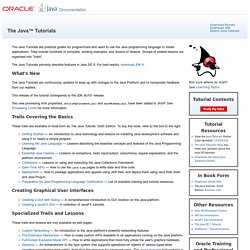
They include hundreds of complete, working examples, and dozens of lessons. Groups of related lessons are organized into "trails". The Java Tutorials primarily describe features in Java SE 8. For best results, download JDK 8. New to Java Programming Center. Java Basics offers a quick overview and the steps to create a 'Hello, World' program.
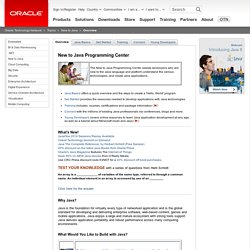
Get Started provides the resources needed to develop applications with Java technologies Training includes courses, certifications and package information Connect with the millions of existing Java professionals via conferences, blogs and more. Young Developers covers online resources to learn Java application development at any age, as well as a tutorial about Minecraft mods and Java What's New! JavaOne 2014 Sessions Replay Available Virtual Technology Summit on Demand Java The Complete Reference, by Herbert Schildt (Free Sample) 20% discount on the latest Java Books from Oracle Press Oracle's Java Magazine features The Internet of Things Save 50% on NEW Java ebooks from O’Reilly Media.
Use CRC Press discount code KVM37 for a 20% discount off book purchases. An array is a ____________ of variables of the same type, referred to through a common name. Click here for the answer. Home - codesamples. Java Developer Tutorials and Online Training. Java SE Platform Java Tutorials View complete working examples, instruction, and code samples for developing to the Java SE platform.
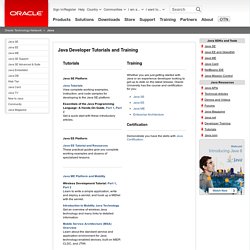
Essentials of the Java Programming Language: A Hands-On Guide, Part 1, Part 2 Get a quick start with these introductory articles. Java programming tips. The ideal method only handles one function, and is named appropriately. Using methods increases readability of your code and makes it easier to expand or change your software. You can also call your methods from separate places, reducing the total number of lines of code. Objective-C. Objective-C source code 'implementation' program files usually have .m filename extensions, while Objective-C 'header/interface' files have .h extensions, the same as C header files. Cocoa Dev Central: Learn Objective-C. Objective-C Programming. You can build iPhone applications with Objective-C. Objective-C is an object-oriented programming language. It was named after the concept of adding objects to the C language. If you have programmed before and would like to see a little bit of how Objective-C works and is different from other programming languages, you can get an overview .
Objective C was introduced with NeXTSTEP and OPENSTEP, and was considerably extended in application due to its use with the Cocoa libraries under Mac OS X or the GNUstep libraries. However, you can program in Objective-C without these libraries if you wish. Because not everyone uses OPENSTEP or Mac OS X, we will introduce these library-specific details later. Programming with Objective-C. Learning Objective-C.