
Free Pomodoro Timer.
AiFILE Lets You Set Schedules For Regularly Moving & Copying Files. Mostly, we do not take out time to organize their downloaded files, and the main Downloads folder becomes cluttered with a lot of different types of files.

Gelatin: Merge Any Two PDF Files Into One, Watermark-Free PDF [Mac] Editing, merging, and extracting PDFs is a normal function that just about anyone might need.
![Gelatin: Merge Any Two PDF Files Into One, Watermark-Free PDF [Mac]](http://cdn.pearltrees.com/s/pic/th/gelatin-merge-files-watermark-21663514)
In late December, we covered PDFDesk, an app that allowed you to extract pages from PDF documents in multiple image and PDF formats. Gelatin, that wonderful stuff that the elf ears in Lord Of The Rings were made of, is a Mac app that lets you merge two PDF files into one. The app has a simple drag & drop interface, and seamlessly merges two PDFs into one, without adding any sort of watermark.
The app is also free of PDF size restrictions, which means, regardless of the file size or the number of pages in the PDF, you can merge it with another. The app’s interface is a small window with a progress bar. The app will then ask you to enter a name for the output file. You can change the default location and the default name that files are saved with from the advanced preferences.
The first file that you drag & drop on to the app’s interface will appear first in the output file. Lion UX Pack Transforms Windows 7 To Mac OS X Lion User Interface. Download - PDF Split and Merge. The installer may include advertisement offers to finance further development, read here why.
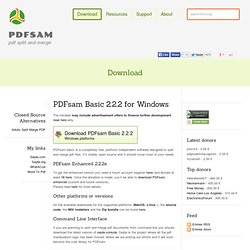
PDFsam basic is a completely free, platform independent software designed to split and merge pdf files. It’s stable, open source and It should cover most of your needs. PDFsam Enhanced 2.2.2e. Volume 2 Updated, Adds OSD Notification Support For Volume Features. Volume 2 is an open source volume controller that aims to replace Windows default Volume Control utility.

Since our review, the application has seen quite a lot of improvements and features such as better display OSD features, added battery status display and default device highlight feature. Apart from these major improvements, the latest version has OSD (On Screen Display) for changing screen brightness with hotkeys, function set for original brightness hotkeys, OSD for changing volume, additional keyboard shortcuts to Pause, Scroll Lock, Home, Insert, Page Up, Page Down, Del, End, option to set device as default and a lot more. The volume mixer now opens in the lower right corner. Extra slider for adjusting the left and right volume speakers and warning about inserting / ejecting USB flash drive have been added. Moreover, the device list is reloaded when you change its status and a number of new skins and bug fixes have also been provided.
Download Volume2 Advertisement. How to Launch Multiple Apps at Once in Windows 7 With a Single Shortcut. You probably have several applications that you run in Windows 7 to do your daily work, surf the web, etc.

Wouldn’t it be handy if you can use the mouse or a hotkey to start all those applications at once? We found a small, portable utility for Windows 7, called Windows 7 App Launcher (7APL), that allows you to launch multiple applications at once using a hotkey or the Windows 7 jump lists feature. You create profiles containing all the applications you want to start at once and apply a hotkey to each profile. 7APL does not need to be installed.
Simply extract the .zip file and double-click the .exe file. If you want to be able to run profiles from a jump list, right-click on the 7APL .exe file and select Pin to Taskbar from the popup menu. 7APL opens to the Welcome tab. WinLaunch Brings Mac OS X Lion Launchpad To Windows 7. Finding applications and system utilities from Mac OS X default Application folder (which is accessed from system Dock) can become quite wearisome, especially when you’ve installed applications in great number.

MultiDesk: Connect To Multiple Remote Desktops In A Tabbed Interface. MultiDesk is a portable, tab-based remote desktop client for Microsoft’s Terminal Services (Remote Desktop) connections.

It enables the management of multiple remote desktop connections, with the option to organize them in custom groups for saving your remote connection settings in a systematic order. Its tabbed interface lets you run numerous remote sessions simultaneously within the same application window, and provides the option to easily jump between connected remote desktops with a click. MultiDesk provides full-screen display, and allows customizing connection properties. SimplyRead Strips Web Pages to Their Most Basic Form. Chrome/Firefox: If you thought other reading tools like Readability stripped away the fluff on a website, you haven’t seen anything yet.

SimplyRead rips away everything but the title and body text for an ultra-minimalist approach to article presentation. Install the extension and a small “SR” icon is placed on your browser address bar. Pull up a news article or similarly formatted blog post and click that icon. Everything is stripped away to display just the most basic components of the article and none of the peripheral navigation panels. What does the article above look like when we turn SimplyRead off?