
Ophcrack v3.3.1 Review (Ophcrack LiveCD v2.3.1) The Ophcrack Windows password cracker is the best free Windows password recovery tool available.
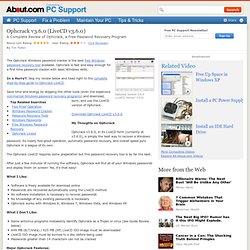
Ophcrack is fast and easy enough for a first time password cracker with basic Windows skills. In a Hurry? : Skip my review below and head right to the complete step-by-step guide to Ophcrack LiveCD. Save time and energy by skipping the other tools (even the expensive commercial Windows password recovery programs) and download, burn, and use the LiveCD version of Ophcrack. Download Ophcrack LiveCD v3.6.0 My Thoughts on Ophcrack Ophcrack v3.6.0, in its LiveCD form (currently at v3.6.0), is simply the best way to recover a Windows password. The Ophcrack LiveCD requires some preparation but this password recovery tool is by far the best.
After just a few minutes of running the software, Ophcrack will find all of your Windows passwords and display them on screen! What I Like: What I Don't Like: Instalar Windows desde una usb [super explicado] Primero, antes que nada, dos puntos importantes a saber antes de empezar: I.- Es necesario una memoria usb que no tengan ningún archivo importante, ya que se formateará y no quedara rastro de nada.
![Instalar Windows desde una usb [super explicado]](http://cdn.pearltrees.com/s/pic/th/instalar-windows-explicado-54124665)
No se preocupen, si queda espacio en su USB, no se preocupen, pueden usarla aun como tal si quieren seguir teniendo su Windows instalable desde USB, mientras no borren ningún archivo copiado en la usb por este procedimiento. II.- El tamaño de la usb requerido varía dependiendo del Windows a instalar. Un Windows XP SP3 original sin modificar, cabe perfectamente en una usb de 1 giga, mientras que Vista/7 necesitan mínimo una de 4 gigas. III.- Para que el booteo por USB sea posible, asegúrate que la placa acepta ese tipo de inicio. IV.- Puedes instalar con este método Windows XP/Vista/7, PERO solo puedes preparar la USB desde Windows Vista/7. teniendo en cuenta estos 4 puntos, comencemos con el tutorial. 3. diskpart y presionar Enter. list disk select disk X 6. xcopy U:\*.* /s/e/f/h Z:\
How To Remove Passwords Using Offline NT Password & Registry Editor. Offline NT Password & Registry Editor is a very fast password "recovery" program. I quote recovery because the program doesn't actually recover the password - it deletes it. This is a bit different than other password recovery tools like the very popular Ophcrack. For a quick overview, see my complete review of Offline NT Password & Registry Editor. Offline NT Password & Registry Editor is a program that deletes passwords so the first thing you'll need to do is visit the Offline NT Password & Registry Editor website. 7 Free Windows Password Recovery Tools. Trinity Rescue Kit needs to be booted from a disc or USB stick to work.
It includes many different tools, one of which is for password recovery. You can use Trinity Rescue Kit to clear a password entirely, making it blank, or to set a custom one. Some of you may find this program difficult to use because there isn't a graphical interface. About.com: Restart With the Offline NT Password & Registry Editor Disc in the Disc Drive (Step 4 of 18) The Offline NT Password & Registry Editor disc you just burned is bootable, meaning it contains a small operating system and software and can be ran independent of the operating system on your hard drive.
This is exactly what we need in this situation because you can't access the operating system on your hard drive right now because you don't know the password. Insert the Offline NT Password & Registry Editor disc into your CD/DVD/BD drive and then restart your computer. The initial screen you see after restarting should be the same one you always see immediately after starting your computer. Crear un disco USB booteable para instalar Windows Vista/7/ Server 2008 ~ Blog CubaColombia. En ciertas ocasiones tenemos la necesidad de instalar Windows en determinadas condiciones que nos impiden utilizar una unidad DVD, o bien porque está dañada o porque el equipo no trae una unidad como es el caso de los netbook, para estas situaciones podemos realizar lo siguiente: Primero tener a mano:
Logon To Windows With the Ophcrack LiveCD Recovered Password (Step 10 of 10) Now that your password has been recovered using Ophcrack LiveCD, simply enter your password when prompted after booting your computer normally.

You're Not Done Yet! Assuming Ophcrack was successful in cracking your Windows password, I'm sure you're jumping up and down with joy and ready to get back to whatever you were doing but now is the time to be proactive so you never have to use this program again: Create a password reset disk. A password reset disk is special floppy disk or flash drive that you create in Windows that can be used to gain access to your account if you ever forget your password in the future.As long as you can keep this disk or drive in a safe place, you'll never have to worry about forgetting your password, or using Ophcrack, again.