
Communiquer sur Facebook? Comment, pourquoi et enjeux. Photo Uploader. Face.com - Face recognition for the masses. Adobe AIR Facebook Desktop Clients. How to write a Facebook application in 5 Minutes. How to download Facebook photo albums to the desktop with a clic. How to use Facebook Chat from the Desktop without opening Facebo. Comment contacter l’administrateur d’une Page Facebook ? How to : 20 Facebook Tips/Tricks You Might Not Know. Facebook Pages vs Facebook Groups: What's the Difference?
Howard Greenstein is a Social Media Strategy and Marketing consultant, and President of the Harbrooke Group.
He's also a national board member of Social Media Club. “Should I create a group or launch a Page?” It's the eternal question that gets asked as often as, “What is Twitter?” At introductory social media training classes. Ever since Facebook launched their Pages product as part of their larger advertising strategy (along with the ill-fated Beacon) in November 2007, there has been confusion over which to use. Twitter to Facebook: 5 Ways to Post to Both. There once was a time when our Facebook friends wanted nothing to do with our Twitter updates.
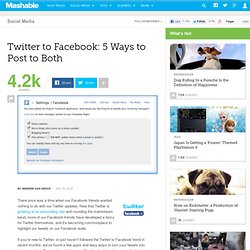
Now that Twitter is growing at an astounding rate and rounding the mainstream bend, more of our Facebook friends have developed a fancy for Twitter themselves, and it's becoming commonplace to highlight our tweets on our Facebook walls. If you're new to Twitter, or just haven't followed the Twitter to Facebook trend in recent months, we've found a few quick and easy ways to turn your tweets into status updates. 5 Lessons Celebrities Can Teach Us About Facebook Pages. Dan Schawbel is the bestselling author of Me 2.0: Build a Powerful Brand to Achieve Career Success (Kaplan, April 09), and owner of the award winning Personal Branding Blog.
Celebrities have officially taken over social networks and are using them to connect with fans and promote their movies, albums and other products. The recent redesign of Facebook Pages has presented celebrities with a great opportunity to engage their fan base and amass hundreds of thousands, if not millions of fans. While it seems very few big name celebrities are actually using Facebook as a tool to build their own brands and gather their large followings, there are a few who are actively networking on their Pages.
Here are 5 lessons we can learn from them. 1. Vin Diesel: As Adam Ostrow points out, with now over 7 million fans Vin Diesel is the most aggressive and authentic celebrity on Facebook. What we can learn: Be authentic and start conversations instead of just pushing promotional material. 2. How to view private Facebook profiles. I’ve always had a penchant for finding flaws within supposedly secure systems.
Those sort of activities got me into a lot of trouble in high school, and certainly banned from the high school computer lab once or twice. How to “friend” someone on Facebook & hide it from your stat. I’m sure that this has happened to you before.

Someone you have ties to, whether it’s a co-worker, your boss, or even worse, a parent, has finally discovered social networking and wants to be your newest Facebook friend. For me personally, that’s no big deal. Why is Vin Diesel so popular on Facebook? It's the authenci. With all due respect, I wouldn’t put Vin Diesel in the upper echelon of movie actors.

But on Facebook, the Fast & Furious star is second to none among the Hollywood elite. He’s currently adding hundreds of thousands of fans daily, and with more than 3.4 million of them at the moment, the only person bigger than Diesel on Facebook is President Obama. How’s he doing it? Simple: authenticity.It’s really one of the first lessons you hear over and over again when talking about marketing your brand in social media – whether it’s a company or a person – but so many stars still put their brand in the hands of professional managers on sites like Facebook, MySpace, and Twitter. Diesel appears to have been doing this too – up until about a month ago when his updates went from standard fare – clips of TV appearances and an event schedule – to authentic updates and interaction from the star.
At this point, Diesel is probably most analogous to Shaq on Twitter. Facebook Group: World Leaders. How to use Facebook privacy settings and avoid disaster. Alison Driscoll is an interactive copywriter and social media consultant who specializes in .
She authors a blog at alisondriscoll.com. provides users with the opportunity to share just about everything: photos, links, videos, virtual gifts and random musings in the form of status updates. Under the guise of “being social” and “maintaining transparency,” Facebook fiends post anything and everything about themselves on this now omnipresent social network. This begs the question, how much is too much? Younger generations have no problem sharing nearly every detail of their lives, but is publicly posting all this minutiae really such a good idea? How not to be hated on Facebook. YourTango.com, a self-described "community for love, sex, dating and relationship advice," has created an instructional video called "Facebook Manners and You.
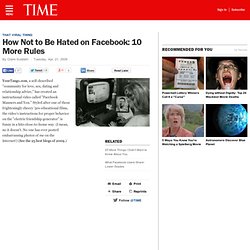
" Styled after one of those frighteningly cheery '50s educational films, the video's instructions for proper behavior on the "electric friendship generator" is funny in a hits-close-to-home way. (I mean, no it doesn't. No one has ever posted embarrassing photos of me on the Internet!) (See the 25 best blogs of 2009.) Comment gérer une Page créée par des Fans ? How to customize the new Facebook home page. How to send selective tweets to Facebook. "Nouveau Facebook = Plus d’opportunités pour les annonceurs. Breaking down barriers to Facebook organizing. Two years ago at the Personal Democracy Forum in New York, Eli Pariser and I took MySpace to task for censorship on their site.
We began dropping hints about an "Internet user's rights movement. " The main goal? Internet users working together (like a union) to win input into things like the "terms of service" that big sites like MySpace were able to change on a whim -- the equivalent of one side changing a contract after both sides signed. At the time, such a movement seemed far-fetched. But then, it got a little more real. Then, this Thursday, Facebook did something very bold: They offered "users around the world an unprecedented role in determining the future policies governing the service.
" How to get Facebook in your inbox with NutshellMail. Whether or not you check your Facebook account every hour or just once a week, keeping track of friends' status updates, birthdays, new messages, group invitations, and events can get a little unruly.
10 privacy settings every Facebook user should know. We’ve updated this guide with the new privacy settings just launched by Facebook. You can get the new Facebook privacy guide now. Everyday I receive an email from somebody about how their account was hacked, how a friend tagged them in the photo and they want a way to avoid it, as well as a number of other complications related to their privacy on Facebook. Over the weekend one individual contacted me to let me know that he would be removing me as a friend from Facebook because he was “going to make a shift with my Facebook use – going to just mostly family stuff.”
Perhaps he was tired of receiving my status updates or perhaps he didn’t want me to view photos from his personal life. How to friend Mom, Dad, and the Boss on Facebook...safely. Oh no! Your mom just joined Facebook and what's even worse, she wants to be your friend. More and more people are finding themselves in this situation today and unsure of what to do. Friending mom and dad, the boss, or other work colleagues opens up the details of your private life for the whole world to see - and you might not be entirely comfortable with that. What's to be done? The Big Question: Should You Bare it All Online?
AddressBookSync. How to add Facebook Connect to your blog in 8 minutes. How to Facebook Picture with OS X Address Book thanks to Address. Exporter for iPhoto. How to deal with hyperactive friends on Facebook. Profile Privacy. "Facebook toujours dans la tourmente" sur FredCavazza. The Stanford Facebook class. Facebook, ou la force des liens faibles. Comme une partie de plus en plus importante de la jeunesse désœuvrée et rebelle à laquelle j’appartiens, je traîne à mes (rares) moments perdus sur le fameux site dont tout média de référence se doit de parler en ce moment, je veux bien évidemment parler de Facebook. Je regarde les pages de mes « friends », « poke » et « superpoke » à l’occasion, rejoins des groupes comme « j’écoute des MP3 sans chaussette » ou défend des causes qui vont de « Stop Global Warning » à « Libérez Magenta ».
Perte de temps que tout cela… Hum… pas si sûr. Le capital social (1) Voici un beau prétexte pour vous parler d’une de mes notions préférées : celle de capital social. Celle-ci va nous occuper le temps de deux notes, qui me permettront de détailler les deux dimensions de ce concept. 1. On présente généralement la notion de capital social en disant que celui-ci est constitué par le carnet d’adresse de l’individu. Qu’est-ce que cela veut dire ?
2. A quoi sert ce capital ? Pourquoi est-ce rationnel ? 3. 5. How to graph your Facebook strategy. This guest post is written by Dave McClure: startup advisor, angel investor, PayPal alumnus, and Master of 500 Hats. Dave is organizing next week’s Graphing Social Patterns conference on Facebook, covering many of the topics and companies mentioned below. He’s also a rookie instructor for a new Stanford class on Facebook apps, and an unapologetic Facebook Fanboy and social networking addict. Sections on virtual currency and ad networks contributed by Susan Wu, Charles River Ventures and Sundeep Ahuja, AppFuel. For nostalgic hippies in the SF bay area, this was the 40th anniversary of 1967′s famous Summer of Love. But for every Silicon Valley developer, entrepreneur, and VC who has a pulse it’s been the Summer of Facebook. While it’s easy to put aside geeky exuberance over the latest insanely great technology, it’s impossible to ignore the growing size and scope of Facebook, and the impact it’s having on internet startups and traditional businesses alike. 1.