
Coblis — Color Blindness Simulator. If you are not suffering from a color vision deficiency it is very hard to imagine how it looks like to be colorblind.
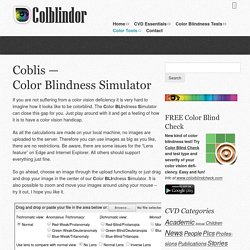
The Color BLIndness Simulator can close this gap for you. Just play around with it and get a felling of how it is to have a color vision handicap. As all the calculations are made on your local machine, no images are uploaded to the server. Therefore you can use images as big as you like, there are no restrictions. Be aware, there are some issues for the “Lens feature” on Edge and Internet Explorer. So go ahead, choose an image through the upload functionality or just drag and drop your image in the center of our Color BLIndness Simulator. If there are any issues with the Color BLIndness Simulator please send a note through the contact page. As it is not not so easy to describe color blindness it comes in handy, that some smart people developed manipulation-algorithms to fake any form of color vision deficiency.
Photoshop CS4 accessibility overview. Colorblind Web Page Filter. Color blindness. Color blindness, or color vision deficiency, is the inability or decreased ability to see color, or perceive color differences, under normal lighting conditions.

Color blindness affects a significant percentage of the population.[1] There is no actual blindness but there is a deficiency of color vision. The most usual cause is a fault in the development of one or more sets of retinal cones that perceive color in light and transmit that information to the optic nerve. This type of color blindness is usually a sex-linked condition. The genes that produce photopigments are carried on the X chromosome; if some of these genes are missing or damaged, color blindness will be expressed in males with a higher probability than in females because males only have one X chromosome (in females, a functional gene on only one of the two X chromosomes is sufficient to yield the needed photopigments).[2] Background[edit] Classification[edit] By cause[edit] By clinical appearance[edit] Causes[edit] Types[edit]
5.8. Display Filters. This command shows a dialog window when executed.

This window can be used to manage the display filters and their options. Display filters are not to be confused with the filters in the -menu. Display filters do not alter the image data, but only one display of it. You can imagine display filters like big panes before your screen. They change your perception of the image. 5.8.1. You can access this command from the image menubar through → . 5.8.2. Figure 16.43. This dialog has two small selectboxes. 5.8.3. The images you create, we hope, will be seen by many people on many different systems. Figure 16.44. Color Deficiency Type In this drop-down menu you can select from among: Protanopia[11] (insensitivity to red) Protanopia is a visual deficiency of the color red.