
40 Online Generators for Web Designers Should Bookmark. Online Generators for Web Designers can be a great way to save time in your web design projects.

High-quality generators can create graphics or code or even layouts in a matter of seconds or minutes, things that might take an hour or more if done by hand. Online generator are those tools that help us to create those popular “XHTML valid” CSS banners, micro buttons or css website templates in seconds. In such cases online generators can be of great help which do the necessary job and some tools don’t have to be downloaded also. We all know that backgrounds play a crucial role in a design. Web Designers sometimes spend a lot of time in making pattern or stripe backgrounds and there are also tool to help you out here. Advertisement 1. XML /SWF charts are used to create attractive graphs and charts from XML data, Create a source either manually or generate dynamically then pass it to the XML chart’s flash file. 2. 3. 4. 256 Pixels 5. 80 x 15 brilliant Button Maker 6.
The Shapes of CSS. Learn Development at Frontend Masters CSS is capable of making all sorts of shapes.

Squares and rectangles are easy, as they are the natural shapes of the web. Add a width and height and you have the exact size rectangle you need. Add border-radius and you can round that shape, and enough of it you can turn those rectangles into circles and ovals. We also get the ::before and ::after pseudo elements in CSS, which give us the potential of two more shapes we can add to the original element. Square Rectangle Circle Oval Triangle Up Triangle Down Triangle Left Triangle Right Triangle Top Left Triangle Top Right Triangle Bottom Left.
Writing your first Django app, part 1. Let’s learn by example.
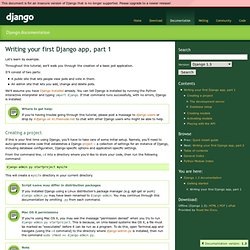
Throughout this tutorial, we’ll walk you through the creation of a basic poll application. It’ll consist of two parts: A public site that lets people view polls and vote in them.An admin site that lets you add, change and delete polls. We’ll assume you have Django installed already. You can tell Django is installed by running the Python interactive interpreter and typing import django. Where to get help: If you’re having trouble going through this tutorial, please post a message to django-users or drop by #django on irc.freenode.net to chat with other Django users who might be able to help. Creating a project If this is your first time using Django, you’ll have to take care of some initial setup. From the command line, cd into a directory where you’d like to store your code, then run the following command: django-admin.py startproject mysite This will create a mysite directory in your current directory.
Script name may differ in distribution packages Mac OS X permissions. Web Analytics in Real Time.