
Разбор вредоносной программы под Android на примере Trojan-Spy.AndroidOS.Zbot.a / Android.Smssniffer / Android/SpySMS / AndroidOS_SMSREP.B / Хабрахабр. Содержание топика можно представить в таком виде: 1.

Общая информация об APK-файлах 2. Разбор вредоноса 2.1 Утилиты для разбора 2.2 Разбор 1. Информация об APK-файлах Для того, чтобы лучше понять особенности исследования вредоносных программ под Android необходимо сначала разобраться с тем, что такое APK-файлы. Так как пользовательские приложения для Android выполняются в java-машине, то APK-файлы наследуют все характерные черты JAR-файлов.
Содержимое архива обычно выглядит примерно так: Каталог META-INF содержит: CERT.RSA — сертификат приложения CERT.SF — контрольные суммы файлов ресурсов (картинок, звуков и т.д.) Каталог res содержит ресурсы — иконки в нескольких разрешениеях, описание размещения элементов на форме в xml-файле. AndroidManifest.xml — служебная информация о приложении (версия SDK, которым приложение создавалось, версию ОС под которой приложение будет работать и т.д.).
Classes.dex — исполняемый код приложения. Resources.arsc — таблица ресурсов. 2. 2.1 Утилиты для разбора. Design - Navigation with Back and Up. 一致的導覽是整體使用者體驗的必備組成。
基本導覽的行為若不一致又令人意外,是最令使用者感到更沮喪的狀況。 Android 3.0 已將重大變更導入全域的導覽行為中。 完全遵循 [返回] 及 [上一層] 的方針,會讓使用者感到您的應用程式導覽既可靠又符合預期。 Android 2.3 和更早版本依賴系統 [返回] 按鈕,以支援應用程式內的導覽。 在 Android 3.0 導入動作列之後,出現第二個導覽機制:[上一層] 按鈕,由應用程式圖示和左指符號組成。 [上一層] vs. [上一層] 按鈕用於在畫面間有階層關係的應用程式中導覽。 如果畫面是在應用程式中的最頂端 (亦即應用程式的首頁),則不應該會有 [上一層]按鈕。 系統 [返回] 按鈕用於逆時間順序導覽,透過歷程記錄,可以經歷使用者最近使用過的畫面。 當先前檢視的畫面也是目前畫面的階層父項時,按下 [返回] 按鈕和按下 [上一層] 按鈕效果相同 — 這是常見的狀況。 [返回] 按鈕還支援幾個間接關聯畫面對畫面導覽的行為: 關閉浮動視窗 (對話、快顯)關閉內容相關的動作列,並從選取項目移除醒目顯示隱藏畫面鍵盤 (IME) 在應用程式內導覽 導覽至具有多重入口的畫面 有時候,一個畫面在應用程式的階層中並沒有嚴謹的位置,而且可以從多個入口存取 — 例如可以從您應用程式中任何其他畫面存取的設定畫面。 在畫面內變更檢視 變更畫面的檢視選項並不會變更 [上一層] 或 [返回] 的行為:畫面仍維持在應用程式階層中的相同位置,並不會建立新的導覽歷程記錄。 這類檢視變更的範例如下: 使用標籤和/或左與右滑動來切換檢視使用下拉清單 (亦即折疊標籤) 切換檢視篩選清單對清單排序變更顯示特性 (如縮放) 在同層級畫面間導覽 當您的應用程式支援從項目清單導覽至項目之一的詳細檢視時,使用者通常會想使用方向導覽功能,以便從該項目導覽至清單中的前一個或後一個項目。
然而有一個明顯的例外是,在不被引用清單綁在一起的相關詳細資料檢視之間瀏覽時 — 例如在 Play 商店中於相同開發者的不同應用程式之間瀏覽時,或是在相同演出者的專輯間瀏覽時。 基於您對詳細資料檢視的瞭解,您有能力讓 [上一層] 行為甚至變得更聰明。 透過「主畫面小工具」和「通知」,導覽至您的應用程式 您可以使用主畫面小工具或通知,協助您直接導覽至深入您應用程式階層中的畫面。 間接通知 快顯通知 在應用程式間導覽. Design - Notifications. Developer Docs Notifying the User The notification system allows your app to keep the user informed about events, such as new chat messages or a calendar event.
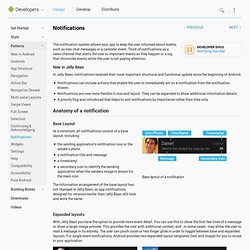
Think of notifications as a news channel that alerts the user to important events as they happen or a log that chronicles events while the user is not paying attention. New in Jelly Bean In Jelly Bean, notifications received their most important structural and functional update since the beginning of Android. Notifications can include actions that enable the user to immediately act on a notification from the notification drawer. Anatomy of a notification Base Layout At a minimum, all notifications consist of a base layout, including: the sending application's notification icon or the sender's photo a notification title and message a timestamp a secondary icon to identify the sending application when the senders image is shown for the main icon Base layout of a notification Expanded layouts Actions Avoid actions that are: Design guidelines Do.
Services. A Service is an application component that can perform long-running operations in the background and does not provide a user interface.
Another application component can start a service and it will continue to run in the background even if the user switches to another application. Additionally, a component can bind to a service to interact with it and even perform interprocess communication (IPC). For example, a service might handle network transactions, play music, perform file I/O, or interact with a content provider, all from the background. A service can essentially take two forms: Started Bound Regardless of whether your application is started, bound, or both, any application component can use the service (even from a separate application), in the same way that any component can use an activity—by starting it with an Intent. The Basics Should you use a service or a thread? To create a service, you must create a subclass of Service (or one of its existing subclasses).