
Bob Asta
I love playing hockey ,writing comedy, and video editing on Adobe Premiere Pro.
Home Remedies: Cures for Everyday Health Problems. Sita Sings the Blues. Other locations online: See the Sita Sites page for the complete, community-maintained list of where Sita Sings the Blues can be found online.

Below is a sampling from that page: Downloads: All downloadable formats at Archive.org 1080p (HD) (4GB QuickTime H.264 .mp4) 720p (HD) (3GB Qucktime H.264 .mp4) 480p (SD) (1GB QuickTime H.264 .mp4) 640x360 700MB XviD download (burnable to CD-R/RW) BitTorrents: BitTorrent sites change frequently, so please see the the wiki. (We maintain the list there, where the community can help keep it up-to-date.) Streaming: Screenings and Festivals: The current screening list. updated list The best way to see Sita Sings the Blues is on a big screen, in a dark room, with other people! DVDs are now available!
Broadcast: WNET/NY Channel 13 Saturday March 7 at 10:45 pm ask your local PBS station to broadcast it too! Kodachrome Curtains - Updated! Now with lampy goodness! So, it's been a while since I've made anything Craftster-worthy, but my husband and I busted out the Dremel tool a few days ago and we made this: It's a pair of curtains made out of old Kodachrome slides!
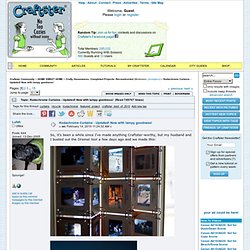
I'm really interested in photography, and will buy old cameras in antique and thrift stores in order to develop film that's inside of it. From time to time, I'll find collections of old slides and will buy those, too. Last fall, driving back from vacation, we stopped at an antique store outside of Kansas City and I found a box of a ton of old slides, mostly Kodachrome, from the 50s and 60s. I hate the idea that these pictures would just be resigned to the garbage or something, and wanted to display them (besides just scanning them in and putting them on Flickr - here's a link to my old found negative/slide collection, though, if you want to check that out: ).
Then I connected them all together with chainmail rings. Each panel is made up of 114 slides. Thanks for looking! 22 Professional Photoshop Image Enhancing Tutorials. Adobe Photoshop is the premier tool for digital artists when it comes to professionally enhancing images. Whether you’re a beginner just learning the ropes or an advanced user looking for unique techniques to add to your Photoshop arsenal, you’ll find some tutorials here that you’ll surely want to bookmark. In this article, you’ll discover plenty of tutorials that deal with enhancing images, adding unique and impressive effects, and recreating digital replications of popular traditional photography techniques. 1.
Cross Processing You can learn how to apply the Cross Processing film-developing technique digitally to your images by reading through this quick and educational tutorial that leverages the powers of the Curves tool in Photoshop. 2. Take your ordinary digital photos and simulate the Lomo Photography effect (also known as Lomography) that will apply a dreamy and surreal effect onto your images in this tutorial that uses a Levels Adjustment layer among other Photoshop techniques. 3.
Help.