
Graphic and Web Design Blog -Resources And Tutorials. If You are web developer great navigation menus always comes handy.

I united this list for people like me, who sometimes wants to do job fast and choose from already prepared examples, which are easy to use. So here are many resources starting from very simple HTML and CSS navigation menus, until very complicated and advanced jQuery, JavaScript and MooTools techniques used to get maximal control with fading, sliding, dragging etc. effects.
Modern CSS Layouts: The Essential Characteristics. Advertisement Now is an exciting time to be creating CSS layouts.
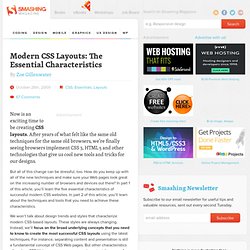
After years of what felt like the same old techniques for the same old browsers, we’re finally seeing browsers implement CSS 3, HTML 5 and other technologies that give us cool new tools and tricks for our designs. But all of this change can be stressful, too. How do you keep up with all of the new techniques and make sure your Web pages look great on the increasing number of browsers and devices out there? In part 1 of this article, you’ll learn the five essential characteristics of successful modern CSS websites. 6 Tips for a Great Flex UX: Part 5. By Theresa Neil Since the book focuses on rich interactions, I want to spend some time on Adobe Flex/AIR.
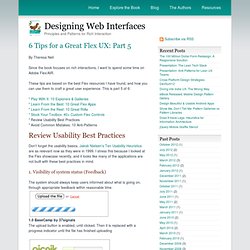
These tips are based on the best Flex resources I have found, and how you can use them to craft a great user experience. This is part 5 of 6: * Play With It: 10 Explorers & Galleries * Learn From the Best: 10 Great Flex Apps * Learn From the Rest: 10 Great RIAs * Stock Your Toolbox: 40+ Custom Flex Controls * Review Usability Best Practices * Avoid Common Mistakes: 10 Anti-Patterns Don’t forget the usability basics. 1. The system should always keep users informed about what is going on, through appropriate feedback within reasonable time. 1.0 BaseCamp by 37signals The upload button is enabled, until clicked. 1.1 Picnik Progress message and indicator shows while the application loads 1.2 Tick A feedback message is displayed when an action is performed 1.3 Windows Live Account Password strength is shown as the password is entered.
Advanced ASP.NET and Windows Forms Controls. 7 Vertical Menus With jQuery Effects. Drop-Down Menus, Horizontal Style. Anyone who has created drop-down menus will be familiar with the large quantities of scripting such menus typically require.
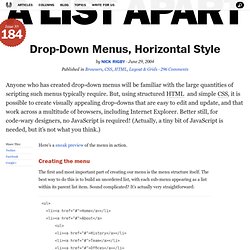
But, using structured HTML and simple CSS, it is possible to create visually appealing drop-downs that are easy to edit and update, and that work across a multitude of browsers, including Internet Explorer. Better still, for code-wary designers, no JavaScript is required! (Actually, a tiny bit of JavaScript is needed, but it’s not what you think.) Here’s a sneak preview of the menu in action. Creating the menu#section1 The first and most important part of creating our menu is the menu structure itself. That’s it: some simple HTML that is both accessible and easy to edit. Visually appealing? If you have previewed the menu above, you’ll see a pretty boring list of items. The first step is to remove the indents and bullets from the unordered list and define the width of our menu items. Next, we need to position our list items. Next step is the sub-menus.
Now the fun bit. Navigation Menus: Trends and Examples - Smashing Magazine. Advertisement Navigation is the most significant element in web design.
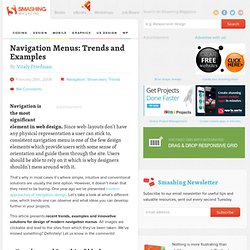
Since web-layouts don’t have any physical representation a user can stick to, consistent navigation menu is one of the few design elements which provide users with some sense of orientation and guide them through the site. Jek2kdotcom » Blog Archive » Drop down with MooTools. I've been running this site and blog for almost 14 years, and it has served me well during this time, earning me traffic, contacts, interviews and lots of work opportunities. This has always been my playground to learn stuff, try new technologies and experiment with things since I was 17. I wouldn't have my current job without this site and all the years spent playing around with it. I owe it more than words can express.
That said, I've not updated it in the last couple of years, not just because I have very few spare time (you can always make time for the things that are important to you), but mostly because it does no longer represent me. Every bit of this site, the name, the imagery, the content were born in a particular time of my personal and professional life, and that time no longer is. Things have changed, my life has been a roller-coaster lately, abruptly steering from exciting professional highs to very painful personal lows, and I'm starting again from scratch. 50 Beautiful And User-Friendly Navigation Menus - Smashing Magazine. Advertisement Usability is an essential goal of any website, and usable navigation is something every website needs.

It determines where users are led and how they interact with the website. Without usable navigation, content becomes all but useless. Menus need to be simple enough for the user to understand, but also contain the elements necessary to guide the user through the website — with some creativity and good design thrown in. 40 Extremely Impressive Examples of Photo Manipulation. A few weeks ago we showed you some very good photo manipulation tutorials.
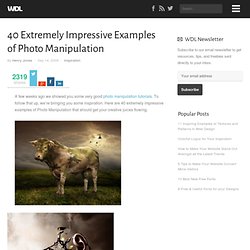
To follow that up, we’re bringing you some inspiration. Here are 40 extremely impressive examples of Photo Manipulation that should get your creative juices flowing. About the Author.