
KungFu Code Monkey. "XPLinux" Running Windows XP and Kubuntu on one joint desktop. I've decided not to upgrade to Vista.

I would need a new computer and really have no need for one, other than to run Vista. I have, however, upgraded to 1 gig of RAM recently and this has finally allowed me to run Windows and Linux together on one desktop -- all the time. With only 768K to was too painful to run all the time. I call this joint desktop "XPLinux" and it is fairly powerful -- and very slick. It's all running on an older Compaq with 2.5ghz P4 cpu, 1 gig of RAM, and a 64 meg GeForce 4 video card.
Here's a basic picture of my desktop displaying the Windows start menu and the KDE menu from Kicker. You may think it looks a lot like Vista with the transparent taskbar and window borders. The next screenshot shows a few Windows and Linux programs running. At the top left, the Linux Konsole program is running a terminal session on the VM. The final screenshot shows a few different programs running: If you are interested in Linux, but need the access to Windows software.
Xming Notes. Xming is the leading X Window System Server for Microsoft Windows®.
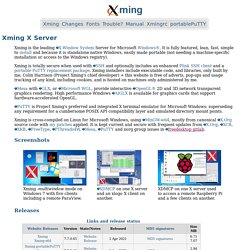
It is fully featured, lean, fast, simple to install and because it is standalone native Windows, easily made portable (not needing a machine-specific installation or access to the Windows registry). Xming is totally secure when used with SSH and optionally includes an enhanced Plink SSH client and a portable PuTTY replacement package.
Xming installers include executable code, and libraries, only built by me, Colin Harrison (Project Xming's chief developer) + this website is free of adverts, pop-ups and usage tracking of any kind, including cookies, and is hosted on machines only administered by me. Mesa with GLX, or Microsoft WGL, provide interactive OpenGL® 2D and 3D network transparent graphics rendering. AIGLX is available for graphics cards that support hardware-accelerated OpenGL. Xming is cross-compiled on Linux for Microsoft Windows, using MinGW-w64, mostly from canonical X.Org source code with my patches applied. Manage Linux Workstations Using Xming.
SSH is one powerful tool.

You can do just about everything under the sun using an SSH login to a remote computer. SSH works very well in low-bandwidth situations like dialup, or satlinks. But wakeup, we’re no longer in the 80s – people want GUIs, let’s give them fancy-pants graphics, bouncing cursors and silly linux wizards. Remotely. Enter Xming, what I would name as top of my favorite applications. Xming allows you to connect to remote or local Linux workstations and servers and run full graphical applications on those remote machines on your local Windows computer. Here’s how it works: all of the applications are run remotely, but when it comes to the graphics, the information that would invoke the graphics is sent to your local computer, not a bitmap or a sequence of bitmaps like VNC.
Since Xming can run in windowed or full-screen modes, you can establish thin client connections in this fashion, or you can publish applications Citrix-style.