
Teach Programming Lessons - Kodu. Gorzycki MS Tech Ed Wiki / Kodu. Kodu Game Lab is for building games!

Kodu is a programming environment designed by Microsoft for Windows and the Xbox 360. Kodu enables you to build games using a series of visual elements in a rich 3D environment, without having to learn a single line of code. The core of Kodu Game Lab is its intuitive user interface. From the interface, you choose visual commands to determine the actions of the characters and environment, rather than having to type lines of code to build your games. Think of the commands as rules that the game characters and objects must follow. In the example above, whenever the character sees an apple, they will move toward it. While what you can build with Kodu is significant, there are limits to what you can achieve.
Start simpleThere are a number of ways of approaching building a game, but our suggestion initially is to keep it simple. It is available for free at The download link is on the upper right side. Gorzycki MS Tech Ed Wiki / Cheet Sheet Packet.pdf. Simple Kodu game tutorial (using keyboard) Kodu Game Lab - (1/4) Full Game Tutorial with Narration! - Generic Wars. Creating PacKodu - Part 1 - Board Setup. Creating PacKodu - Part 2 - Character Setup. Kodu : Portal v10. Teach Programming Lessons - Kodu. Interactive Classroom.net. Kodu-Scheme-of-Work2. Kodu: 3D Game making. The ICT and Computing staff at Langley Grammar School have collaborated with The Royal Holloway University to create step-by-step learning videos on using Kodu in the classroom.

These learning resources are aimed at KS2 and KS3 students. The Royal Holloway is committed to sharing the enthusiasm of our staff and students for computer science with young people in local schools and colleges. To find out more about our computer science outreach programme, please contact robin.adams@rhul.ac.ukThis e-mail address is being protected from spambots. You need JavaScript enabled to view it . Slough: Langley Grammar School Target age goup: Upper KS2 / Lower KS3 Session Title: Kodu basics Purpose: To create a simple game using the basic tools i.e. loading world, adding a character and simple navigation.
Duration: 1 hour lesson Creating and using a new world Session Title: Programming events Purpose: To programme basic events into the simple game. Session Title: States. Kodu Tutorials. Kodu_CurriculumDoc. Lookah.tv. Kodu Game Lab: Full Game Video Tutorial with Narration! – Generic Wars « Cracked Rabbit Gaming. Kodu Game Lab: Full Game Video Tutorial with Narration!

– Generic Wars August 19th, 2009 by Tommy Gun You can download this tutorial as a single divx file from the Downloads page. See my previous Kodu Review if you’re unfamiliar with it. Learn how to create an entire game from scratch with Kodu! Part 1 In this part we’ll learn about land tools, and setting up basic character controls. Part 2 In this part we’ll add walls, some enemies, AI, a path for a wisp. Part 3 In this part we’ll program a 60 sec clock on an invisible rock, add music, and bump some enemies. Part 4 In this final part we’ll add some lights, and put the finishing touches on our game.
Research FUSE Labs - Kodu Game Lab. An overview of Kodu.
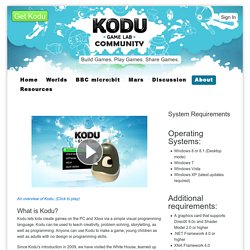
(Click to play) Kodu lets kids create games on the PC and Xbox via a simple visual programming language. Kodu can be used to teach creativity, problem solving, storytelling, as well as programming. Anyone can use Kodu to make a game, young children as well as adults with no design or programming skills. Since Kodu's introduction in 2009, we have visited the White House, teamed up with great groups like NCWIT and DigiGirlz, inspired academic research and been the subject of a book (Kodu for Kids). Week 1 « Game Design with Kodu Game Lab. If you haven’t read the before we begin post please read it now, also the course overview can be found here. In addition to the Week 1 content below there will updates throughout the week.
Make sure you update your email address on the settings page if you want to receive email updates. Use the main page to share links, write blog posts and give updates on your progress (of course you can use your own blog, delicious and twitter if you like). Kodu. Kodu. Create Something Cool.