
Mario Klingemann update. News. Free Graphics software downloads. Flowpaint. Download. Download License & Disclaimer Alchemy is free software: you can redistribute it and/or modify it under the terms of the GNU General Public License as published by the Free Software Foundation, either version 3 of the License, or (at your option) any later version.
Alchemy is distributed in the hope that it will be useful, but WITHOUT ANY WARRANTY; without even the implied warranty of MERCHANTABILITY or FITNESS FOR A PARTICULAR PURPOSE. See the GNU General Public License for more details. Download BETA 008 Release Date: 07.01.2010 Version History To see what has changed since the last version, check out the Version History Previous Releases. SketchBook Copic Edition. Alchemy. Alchemy is software for sketching or drawing using a computer. Unlike other paint programs, Alchemy is not necessarily about creating finished artwork, instead it focuses on using experimental interaction to come up with new ideas completely. 'Experimental interaction' in this case means things like using your voice to control how lines are drawn on screen, generating random shapes, or drawing with symmetry to create a quick and dirty face or body. You might use Alchemy to draw for fun and experiment with, or if you're a more serious artist you might use it as a digital sketchbook - a place where you can experiment with new forms and drawing techniques.
For example, like in the image below, you can create a quick and chaotic silhouette in Alchemy then later move to a more conventional paint program to add the finishing touches. First time users may notice that Alchemy is missing a lot of the features we expect paint programs to have: no undo, no selecting, and no editing! PaintTool SAI. Before downloading the software, you should accept the license agreement linked below.
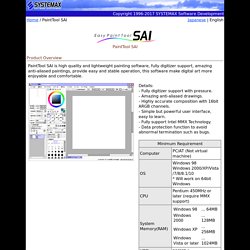
Downloading this software signifies your agreement to the "Software License Agreement". And this agreement is adapted to previous beta release of this software too. *** Software License Agreement *** Installation Note: The full installer of Ver.1.2.0 or later will install SAI into "C:\PaintToolSAI" in default settings. You can preserve brushes, textures, swatch and license certificate through which of following way. - Overwrite Ver.1.2.0(or later) to Ver.1.1.0 folder by installer of update files only. - Copy all folders, *.conf files, *.ssd files, *.slc file from Ver.1.1.0 folder to Ver.1.2.0(or later) folder.
On Windows Vista or later, please avoid installation into "Program Files" folder because SAI may take malfunctions through the influence of UAC. On high DPI settings on Aero(DWM), please disable display scaling. Update History. Artrage. MyPaint.