
Design a Prettier Web Form with CSS 3. Thanks to advanced CSS properties, such as gradients and shadows, it’s now quite easy to turn a dull web form into something beautiful – with minimal effort.
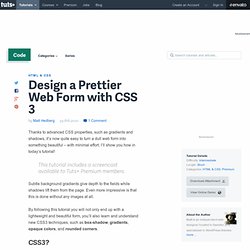
I’ll show you how in today’s tutorial! This tutorial includes a screencast available to Tuts+ Premium members. Subtle background gradients give depth to the fields while shadows lift them from the page. Even more impressive is that this is done without any images at all. By following this tutorial you will not only end up with a lightweight and beautiful form, you’ll also learn and understand new CSS3 techniques, such as box-shadow, gradients, opaque colors, and rounded corners.
CSS3 is the next generation of CSS that is currently under development, but that doesn’t stop browsers from already implementing many of the prominent features. Opera has greater levels of support for CSS3 (except background gradients) in their next version (10.50 Beta). Step 1: The HTML Before we begin styling we need something to style, so here is the form.
Business Case. If your user can't use it, it doesn't work!

Nowadays, people expect things to simply work - no prior reading and certainly no training. Either they can gain immediate value, or they will move on. So it's win or lose, based on the initial user experience. For many organizations, this user experience is directly mapped to business success. Users have increasing choice, and can easily evaluate alternatives to satisfy their expectations. It's all about getting the task done with minimum effort and maximum satisfaction, i.e. engineering the solution to exceed the user's expectations. Ease-of-use is a key differentiator Success is likely if you create a product that delights its intended audience.
The only way to achieve delighted users is to create what they want and in a form that they find intuitive. Studies and the press continue to confirm that ease-of-use and a resulting positive user experience are among the most sought after attributes: Designing User Interfaces For Business Web Applications. Advertisement Business Web application design is too often neglected.
I see a lot of applications that don’t meet the needs of either businesses or users and thus contribute to a loss of profit and poor user experience. It even happens that designers are not involved in the process of creating applications at all, putting all of the responsibility on the shoulders of developers. This is a tough task for developers, who may have plenty of back-end and front-end development experience but limited knowledge of design. This results in unsatisfied customers, frustrated users and failed projects. So, we will cover the basics of user interface design for business Web applications. Websites vs. Confusing Web applications and websites is easy, as is confusing user interface design and website design.
A website is a collection of pages consisting mostly of static content, images and video, with limited interactive functionality (i.e. except for the contact form and search functionality). Sketching. 60 User Interface Design Tools A Web Designer Must Have. The success of web applications and websites depends in how well designed the User Interface is.
Designing a good user interface however is a very challenging process. A designer’s concepts and design decisions always affect the end users of the web site, application or generally any user interface or service he has designed. That is why, the dream of every designer is to deliver high quality, enjoyable and valuable experiences for the users. To achieve this goal, it is necessary that a web designer have a collection of web user interface resources and building blocks in his arsenal. There is a variety of User Interface resources that allows you as designer to access, redefine, and create a well crafted User Interface. Let us explore these things and further our own craft. Advertisement 1. ForeUI is an easy-to-use UI prototyping tool, designed to create mockup / wireframe / prototypes for any application or website you have in mind. 2. 3. 4. 5. iPhone Mockup 6. 7. 8.