
Innovation Hall - George Mason University. Permalink Finder Plugin. The Link Fixer Plugin (note the name change from Permalink Finder) detects when WordPress cannot find a permalink.
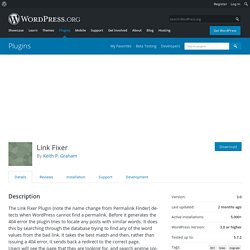
Before it generates the 404 error the plugin tries to locate any posts with similar words. It does this by searching through the database trying to find any of the word values from the bad link. It takes the best match and then, rather than issuing a 404 error, it sends back a redirect to the correct page. Users will see the page that they are looking for, and search engine spiders will see the 301 redirect and update their databases so that the page appears correctly in searches. This is especially useful where WordPress removes words like “the” and “a” from the permalink during conversions from Blogger.com accounts.
The configuration panel allows a user to select how the plugin finds a missing page. WordPress.com Stats. 10 Wordpress Plugins That Will Increase Your Search Engine Ranki. A good search engine ranking will generates more organic traffic to your site.If you are using WordPress, don’t worry.

WordPress already did the hard part for you. But, there are some SEO features that aren’t implemented in WordPress core. You can easily archeive these features by installing plugins. How to create an awesome Twitter profile in Google Analytics. Using a few Google Analytics advance filters, it’s very easy to create a handy Twitter-specific profile which groups together twitter sources such as web clients and short URL services.

If you've read my earlier post 2 easy ways to track social networks in Google Analytics, you should be quite familiar with using advance filters in Google Analytics. A large percentage of Twitter's traffic is coming from phone or desktop based clients, in which case they'll appear as direct traffic so be sure to place extra attention to filter three. 1. Create a new Google Analytics profile and name it 'Twitter Traffic': All In One SEO Pack for Windows Live Writer.
Windows Live Writer and All in One SEO Pack are two really good pieces of softwares available for WordPress users.
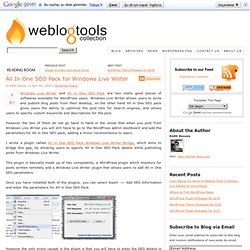
Windows Live Writer allows users to write and publish blog posts from their desktop, on the other hand All in One SEO pack gives users the ability to optimize the post title for Search engines, and allows users to specify custom keywords and descriptions for the post. However the two of them do not go hand in hand in the sense that when you post from Windows Live Writer you will still have to go to the WordPress admin dashboard and add the parameters for All in One SEO pack, adding a minor inconvenience to users. I wrote a plugin called All in One SEO Pack Windows Live Writer Bridge, which aims to bridge this gap, by allowing users to specify All in One SEO Pack details while publishing posts from Windows Live Writer. Once you have installed both of the plugins, you can select Insert –> Add SEO Information and enter the parameters for All in One SEO Pack.
Howdy! Google Analytics. SEO for Drupal Modules. Drupal SEO and Case Sensitive URLs. Search engines like Google and Yahoo are based on Unix (Linux or BSD).
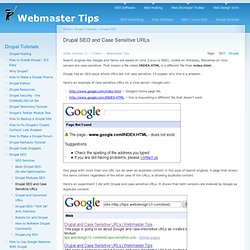
Unlike on Windows, filenames on Unix servers are case-sensitive. That means a file called INDEX.HTML is a different file than index.html. Drupal has an SEO issue where URLs are not case sensitive. I'll explain why this is a problem. Here's an example of case-sensitive URLs on a Unix server—Google.com: One page with more than one URL can be seen as duplicate content in the eyes of search engines. Here's an experiment I did with Drupal and case sensitive URLs. I posted an issue here. Case 'load': $path = "node/$node->nid"; // We don't use drupal_get_path_alias() to avoid custom rewrite functions. // We only care about exact aliases.
Here's what MySQL.com says: The default character set and collation are latin1 and latin1_swedish_ci, so non-binary string comparisons are case insensitive by default. I think that it's something that needs to be fixed in the Path Module and/or added to the Global Redirect module. 15 Tips on Improving Search Engine Visibility. By Mike Fruchter of MichaelFruchter.com (Twitter/FriendFeed) I will first start by stating I am not an SEO expert.

Over the years, I have studied and tested various methods, guidelines and techniques for generating search engine traffic. Back in 1997, I took on paid clients and SEO became a full time career for a few years. AltaVista was the dominant leader in search in those days. Learning how to control and manipulate the engines to get front page search results became my main objective and an obsession. Most of these practices and techniques are still very much relevant today as they were then, so I thought I would touch upon a few of the key ones.
Who to follow on Twitter for Social Media & SEO tips.