
All you need to know to play the latest games on a Low End PC [updated:07/02/2011] UPDATE: "3 games Benchmark Added: Dirt 3, Red Faction Armageddon, FEAR 3 NOTICE: I have Upgraded my CPU from a Dual Core E2200 to a Core 2 Duo E7400, so the old benchmarks are based on a Dual Core E2200, but starting from July 2011, all benchmarks will be based on the Core 2 Duo E7400 and the same Video Card Geforce 9600 GT please be aware that the following guide do not encourage in anyway to ignore the expensive PC parts, you know that performance doesn't come cheap everything has its price, and you will get what you pay for. ----------------------------------------------------------------------------------------------------------------------- I know that lots of people can't get their hands on the latest video cards and CPUs, but really loves to play Video Games.
![All you need to know to play the latest games on a Low End PC [updated:07/02/2011]](http://cdn.pearltrees.com/s/pic/th/latest-games-updated-support-55334359)
I. The first point I want to talk about here, is the Operating System, I know that lots of gamers still not sure what to do, stick with Windows XP? Or upgrade to Windows 7? II. IV. V. BINGO!! Oh yes! Keep Computer and Smartphone Screens from Destroying Your Eyes. I've started using it a few years ago and it really helped me with my sleep.

Basically i feel the need to sleep at normal times, no matter how much i use the screen with flux enabled. It also easy on the eyes, when the room is artificially lighted. I think that those "computer eyewear" do the same thing, i.e. filter the blue light from the screen. Sometimes i need to work past my bedtime and i disable flux just to wake up my brain. Speed Up Windows 7 - Ultimate Guide To Make Windows 7 Blazing Fast!!! Windows 7 is Engineered for speed.
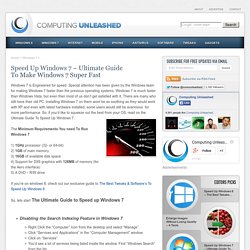
Special attention has been given by the Windows team for making Windows 7 faster than the previous operating systems. Windows 7 is much faster than Windows Vista, but even then most of us don’t get satisfied with it. There are many who still have their old PC. Installing Windows 7 on them wont be as soothing as they would work with XP and even with latest hardware installed, some users would still be avaricious for more performance. So, if you’d like to squeeze out the best from your OS, read on the Ultimate Guide To Speed Up Windows 7. Disable bandwidth limit in Windows 7: Speed up your internet! Did you know that Windows Vista and Windows 7 reserver 20% of your bandwidth for the system?

So, if you did not disable the bandwidth limit, you should probably do so to speed up your internet during Windows updates and other Windows tasks that require bandwidth. Ads: Tip: A common believe is that Windows takes 20% of your bandwidth and reserves it. Of course, this is not true! Disabling the bandwidth limit will not magically speed up your internet, it will simply not allow Windows-related tasks that require bandwidth (e.g. Disable Bandwidth Limit in Windows 7 Professional / Ultimate 1. 2. 3. 4. 5. 6.
Disable Bandwidth Limit in Windows 7 Home Premium Download the following registry tweak and double-click on it. Or copy this into a notepad, save as .reg file and execute: Search Tips & Tricks – Inside Search – Google. Data rate units. Standards for unit symbols and prefixes[edit] To be as explicit as possible, both the prefix (M or Mi) and the unit (b or B) must be known.

For example, the abbreviation 2 Mb can actually be expanded in 4 different ways (mega- vs mebi- and -bit vs -byte): The table above shows an approximate 5% difference between the corresponding mega- and mebi- prefixes, with an 800% difference between bit and byte units. Unit symbol: b vs B[edit] Prefix: k vs Ki[edit] k- stands for kilo, meaning 1,000, while Ki- stands for kilobinary ("kibi-"), meaning 1,024. Variations[edit] In 1999, the International Electrotechnical Commission (IEC) published Amendment 2 to "IEC 60027-2: Letter symbols to be used in electrical technology – Part 2: Telecommunications and electronics. " Decimal multiples of bits[edit] These units are often used in a manner inconsistent with the IEC standard.
Kilobit per second[edit] A kilobit per second – kbit/s, kbps, or kb/s – is a unit of data transfer rate equal to: 1,024 bits per second. Password Dos and Don’ts. There’s a saying when it comes to online passwords: they’re like a toothbrush.

That’s because you want a good toothbrush (just like a password), you should change it often (just like a password) and you should never share it (just like a password!). There are some key dos and don’ts that can help: use personal information that could be easily guessed or accessed, like your birthday (which happens more often than you might think) — it’s easy for you to remember, but easy for someone shady to finduse actual words that you can find in actual language (any language)use the same password for all of your accounts use a different password for each accountcombine capital letters, numbers and special characterschange your password once every three months or so — and immediately if a site notifies you of a security breachuse the Master Password feature in Firefox (more on that here.) By now you’re probably thinking, “I can’t remember my keys in the morning.