
iPhone Application Sketch Template v1.3. iPhone Idea Sheet ver.01. Downloads iPhone Idea Sheet ver.01 download, idea-sheet, iphone-ipad どんなものでもデザインを始める際には、まずはペンで紙にアイデアスケッチをするように心がけています。
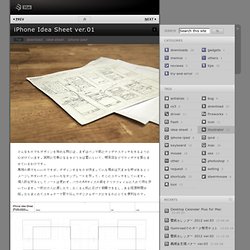
実際に仕事になるかどうかは置いといて、喫茶店などでアイデアを膨らませているわけです。 無地の紙でもいいのですが、デザインするものが決まっている場合は大まかな枠があるとイメージしやすいので、いろいろなテンプレートを作って、そこにスケッチをしています。 個人的な好みとしてノートは使わず、バラのA4サイズの紙をクリアファイルに入れて持ち歩いています。 というわけで、ここ1年くらい使ってたiPhone用のアイデアシートのPDFをアップします。 Free Wireframing Kits, UI Design Kits, PDFs and Resources. Advertisement To mock-up the user interface of a website, software or any other product, you’ll need some basic UI elements.
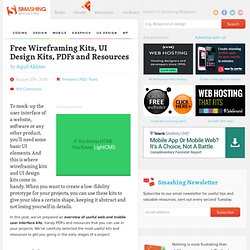
And this is where wireframing kits and UI design kits come in handy. When you want to create a low-fidelity prototype for your projects, you can use these kits to give your idea a certain shape, keeping it abstract and not losing yourself in details. App design versus web design: what designers can teach each other. We often look at application design and website design as two different, if related, fields.
The lines blur a bit with web apps (which are technically both apps and websites), but we still tend to try to compartmentalize them. Even designers who work on both kinds of designs often view them as separate things. But there are a lot of lessons that app designers and web designers can teach each other. Each type of design has emerged to have its own strengths and weaknesses, often complementary to the strengths and weaknesses of the other field. Below are six lessons that app and web designers can teach each other. 1. Free Printable Sketching, Wireframing and Note-Taking PDF Templates.
Advertisement Sketching and wireframing are a specialized style of drawing, used for fleshing out preliminary complex ideas, group brain-storming, a lo-fi method for evaluating interaction concepts, and as a way of roughly perfecting a design technique.

Sketch and wireframe paper is essentially drawing paper that is designed specifically for this purpose. Create a stunning menu in CSS3. The advent of CSS3 has introduced a world of possibilities for web designers and developers.
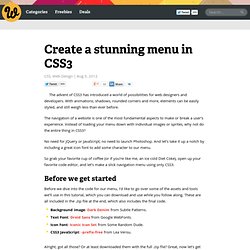
With animations, shadows, rounded corners and more, elements can be easily styled, and still weigh less than ever before. The navigation of a website is one of the most fundamental aspects to make or break a user’s experience. Instead of loading your menu down with individual images or sprites, why not do the entire thing in CSS3? No need for jQuery or JavaScript; no need to launch Photoshop. Make A Rollover Image Effect - Image Changes On Hover. 18Stumble A rollover or mouse over image is a great image effect you will have seen used on lots of blogs and websites.When you use this effect with an image or Picture you add to your blog the image will change to differant image once you hover your cursor over it.It's also a very easy to use and can have so many uses.

Here's a preview of a rollover image, Place your cursor over the image to see it change: The image is also a clickable link so you can use it as a link on your blog. More Examples : Kate the author of Cronicles Of A Country Girl has used this effect to display two versions of photos.In her words "Basically, what I wanted to show on my blog was the original photo, but if you move your mouse over it, you’d be able to see the SOOC version.
How do I Make An Image Change On MouseOver? CSS3 Gradient Generator. Prevent Menu "Stepdown" If you are familiar with the concepts of "floats", you know that if you float a page element to the left, that the next page element will move up next to that element on the right, if possible. Stair step menu, slide show issues in ie7. CheatSheet. Gmap Uploader. A Responsive Design Approach for Navigation, Part 1. A Simple, Responsive, Mobile First Navigation. We're going to build a simple, responsive web site navigation.
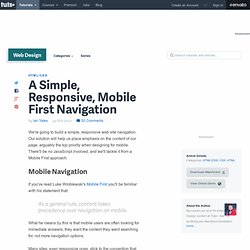
Our solution will help us place emphasis on the content of our page, arguably the top priority when designing for mobile. There'll be no JavaScript involved, and we'll tackle it from a Mobile First approach. Mobile Navigation If you've read Luke Wroblewski's Mobile First you'll be familiar with his statement that: As a general rule, content takes precedence over navigation on mobile.
What he means by this is that mobile users are often looking for immediate answers; they want the content they went searching for, not more navigation options. Many sites, even responsive ones, stick to the convention that navigation belongs at the top of any given page. Take this example from London & Partners: A perfectly decent responsive design, but at standard mobile viewport dimensions (320px x 480px) all you really see is a navigation menu.
So What are the Solutions? Big screen, little screen. Pure CSS Solution Step 1: Markup Step 3: CSS Reset. dConstruct 2012. dConstruct 2012 · Home. iPhone 4 GUI PSD (Retina Display) 50 Excellent Designer Portfolio Sites. Designers and developers are growing in numbers and plenty of these folks have outstanding portfolios.
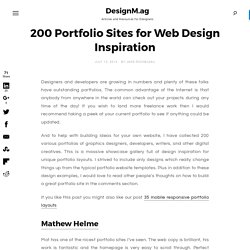
The common advantage of the Internet is that anybody from anywhere in the world can check out your projects during any time of the day! If you wish to land more freelance work then I would recommend taking a peek at your current portfolio to see if anything could be updated. And to help with building ideas for your own website, I have collected 200 various portfolios of graphics designers, developers, writers, and other digital creatives. This is a massive showcase gallery full of design inspiration for unique portfolio layouts. I strived to include only designs which really change things up from the typical portfolio website templates.