
Mobile UI Design Patterns: 10+ Sites for Inspiration. By Jacob Gube User interface design patterns are solutions to common design challenges, such as navigating around an app, listing data or providing feedback to users.

Mobile apps and sites have unique UI design requirements because, compared to their desktop counterparts, they’re used in smaller screens and, at least with today’s modern mobile devices, rely on fingers instead of a keyboard and mouse as input mechanisms. 20 Mobile UI Design for Inspiration. UI design of a mobile interface can really have a profound effect on a smartphone user.
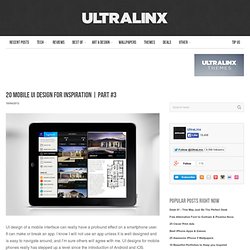
It can make or break an app. I know I will not use an app unless it is well designed and is easy to navigate around, and I’m sure others will agree with me. 12 Sources Of Outstanding Mobile Design Inspiration - Ahref Magazine. There is no doubt, the future of web design is and will be to code for mobile.

This is a MUST step right now in website development process because people will use their smartphones from everywhere when they want to visit a favorite website. If you look at the most creative web designs you’ll see what I mean, they are already coded to fit any device, from different smartphones to tablets. 20 Mobile Apps Inspiration and Design Patterns. As a mobile apps designer I’m sure you are often looking for inspiration to ensure that you can deliver constant innovation and high quality to your clients.
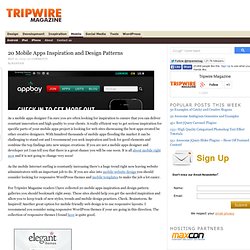
A really efficient way to get serious inspiration for specific parts of your mobile apps project is looking for web sites showcasing the best apps created be other creative designers. 25 Mobile App UI Designs for Inspiration. iOS Mobile Patterns. Golden Ratios in Apple's Design. Display size. Comparison of screen sizes by width, height, diagonal, area, and aspect ratio.
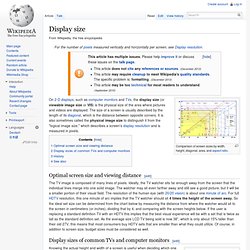
On 2-D displays, such as computer monitors and TVs, the display size (or viewable image size or VIS) is the physical size of the area where pictures and videos are displayed. The size of a screen is usually described by the length of its diagonal, which is the distance between opposite corners. It is also sometimes called the physical image size to distinguish it from the "logical image size," which describes a screen's display resolution and is measured in pixels. Optimal screen size and viewing distance[edit] The TV image is composed of many lines of pixels.
Display sizes of common TVs and computer monitors[edit] Knowing the actual height and width of a screen is useful when deciding which one to purchase. History[edit] The method of measuring screen size by its diagonal was inherited from the method used for the first generation of CRT television, when picture tubes with circular faces were in common use. 5 Tips for Designing iPhone Apps in Photoshop. Designing a user interface for iPhone is totally different than designing for the web.

Small screen, fixed width, users are on the move etc. Design. Smashing UX Design. Category: UX Design This category features quality articles on usability, information architecture, interaction design and other user experience (UX) related topics – for digital (Web, mobile, applications, software) and physical products.

Through these articles, experts and professionals share with you their valuable ideas, practical tips, useful guidelines, recommended best practices and great case studies. Curated by Chui Chui Tan. . Popular tags in this category: Freebies, Web Design, Techniques, Inspiration, Business A Guide To Validating Product Ideas With Quick And Simple Experiments You probably know by now that you should speak with customers and test your idea before building a product.
Mistakes include testing the wrong aspect of your business, asking the wrong questions and neglecting to define a criterion for success. Read more... Building Clickthrough Prototypes To Support Participatory Design Read more... Creating Responsive Prototypes With Adaptive Views In Axure RP 7. Illustrator. People often ask how I arrived at a finished illustration.
Honestly, it’s different every time, but it always starts with a hand-drawn sketch. Sometimes, I paint it completely by hand; sometimes I’ll scan in a pencil drawing. Many of my pieces are 100% analog that I’ll show only at shops or galleries. Use anything you can; if the illustration would work as a wood carving, go that route. There are concrete steps one can take, but they certainly don’t have to be the same every time. The Best Designs / Best Web Design Awards & CSS Gallery. Branding & Design Agency. Color conversion (RGB / CMYK / HSV / YUV / ...) Designing for the iPhone 4's Retina display. Designing for Retina display, part 2. What to do with all those extra pixels? Custom vs standard For developers only using Apple’s user interface elements, most of the work has been done for you.

For those with highly custom, image-based interfaces (like all of our apps), a fair amount of work will be required scaling up elements to take full advantage of the iPhone 4’s Retina display. Scaling user interfaces for higher detail displays—or increasing size on the same display—isn’t a new problem. Interfaces that can scale are often called resolution independent. In a recent article, Neven Mrgan described resolution independence: Ten Things To Think About When Designing Your iPad App. Advertisement Like most well-designed things, the magic of an iPad app comes from a union of usefulness, usability and meaning.
Games aside, the app must be useful by solving a problem that people actually have through the right set of functionality at the right time. It must be easy to use and, just as importantly, easy to get started using, without a lot of pesky setup and learning steps. iOS. iPhone, development & design. iPhone 4 GUI PSD (Retina Display) Thanks for you patience on this one. It took a good deal longer to complete given the sheer size and level of detail the retina display has. It wasn’t a simple scale-up from the last file. It was clear as we created it that Apple has spent a lot of time considering how each element should be translated to such a dense resolution. What were single pixel elements are now two or three pixels thick and effects are exaggerated to become visible.
Ui Parade – User Interface Design Inspiration. PSD Freebies.