
Know Your Network: The Complete Guide. How Can I Protect My Computers and Data When Someone Else Is Using My Network? Dear Lifehacker, After reading how easy it is for someone else to get onto my Wi-Fi network, and, similarly, thinking about how often I let my friends connect to my wireless network, I want to lock down the rest of my network so people connected to it can't go snooping around my computers—or at least secure my most super secret files and folders.
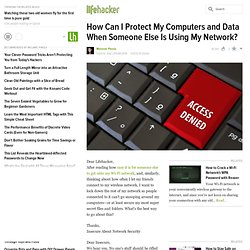
What's the best way to go about this? P Thanks, Insecure About Network SecurityP Dear Insecure, We hear you. No one's stuff should be rifled through, whether you're protecting something as mundane as photos of you in a swimsuit or more sensitive information like your bank statements and tax returns. Set Permissions on Files or FoldersP You can password-protect important files or folders on your computer by editing the permissions settings, which control who can view or edit those items.
In Windows, right-click the folder, go to Properties, and open the Security tab. Encrypt Your Drive or FoldersP Turn Off File Sharing and Network DiscoveryP P.S. Non-Programmer's Tutorial for Python 3/Print version. All example Python source code in this tutorial is granted to the public domain.
Therefore you may modify it and relicense it under any license you please. Since you are expected to learn programming, the Creative Commons Attribution-ShareAlike license would require you to keep all programs that are derived from the source code in this tutorial under that license. Since the Python source code is granted to the public domain, that requirement is waived. This tutorial is more or less a conversion of Non-Programmer's Tutorial for Python 2.6. Older versions and some versions in Korean, Spanish, Italian and Greek are available from The Non-Programmers' Tutorial For Python 3 is a tutorial designed to be an introduction to the Python programming language. If you have programmed in other languages I recommend using Python Tutorial for Programmers written by Guido van Rossum. If you have any questions or comments please use the discussion pages or see Authors page for author contact information.
Non-Programmer's Tutorial for Python 3. Authors Contributors to this book Front matter Initial remarks Intro Installing and using Python – where to get help Hello, World The famous first program – screen output – variables – numbers and calculations Who Goes There?
Interactive input – strings Count to 10 while loops Decisions if statements Debugging Finding out what goes wrong Defining Functions Structuring programs with the use of functions Advanced Functions Example (Almost) mind-blowing example of how programmers can think Lists Variables containing more than one value. Non-Programmer's Tutorial for Python 3/Print version. MSDN Library.