
Sqlite. The Tcl interface to the SQLite library. Small.

Fast. Reliable.Choose any three. The SQLite library is designed to be very easy to use from a Tcl or Tcl/Tk script. SQLite began as a Tcl extension and the primary test suite for SQLite is written in TCL. SQLite can be used with any programming language, but its connections to TCL run deep. This document gives an overview of the Tcl programming interface for SQLite. The API The interface to the SQLite library consists of single tcl command named sqlite3 Because there is only this one command, the interface is not placed in a separate namespace. The sqlite3 command is used as follows: sqlite3 dbcmd database-name ? The sqlite3 command opens the database named in the second argument. The name of the database is usually just the name of a disk file in which the database is stored. Options understood by the sqlite3 command include: -create BOOLEAN If true, then a new database is created if one does not already exist.
The "eval" method The most useful dbcmd method is "eval". Dbcmd eval sql ? SQLite Tutorial. Copyright (c) 2004 by Mike Chirico mchirico@users.sourceforge.net This material may be distributed only subject to the terms and conditions set forth in the Open Publication License v1.0, 8 June 1999 or later.

The latest update of this document . Updated: Thu Jan 11 17:35:19 EST 2007 This article explores the power and simplicity of sqlite3, starting with common commands and triggers. It then covers the attach statement with the union operation, introduced in a way that allows multiple tables, in separate databases, to be combined as one virtual table, without the overhead of copying or moving data. Next, I demonstrate the simple sign function and the amazingly powerful trick of using this function in SQL select statements to solve complex queries with a single pass through the data, after making a brief mathematical case for how the sign function defines the absolute value and IF conditions.
This tutorial was made with sqlite3 version 3.0.8. Getting Started Common Commands Triggers. Command Line Shell For SQLite. Small.

Fast. Reliable.Choose any three. The SQLite project provides a simple command-line utility named sqlite3 (or sqlite3.exe on windows) that allows the user to manually enter and execute SQL statements against an SQLite database. This document provides a brief introduction on how to use the sqlite3 program. Getting Started To start the sqlite3 program, just type "sqlite3" optionally followed by the name the file that holds the SQLite database.
For example, to create a new SQLite database named "ex1" with a single table named "tbl1", you might do this: $ sqlite3 ex1 SQLite version 3.8.4 2014-02-11 16:24:34 Enter ".help" for usage hints. sqlite> create table tbl1(one varchar(10), two smallint); sqlite> insert into tbl1 values('hello! ' You can terminate the sqlite3 program by typing your systems End-Of-File character (usually a Control-D). Make sure you type a semicolon at the end of each SQL command! Double-click Startup On Windows Special commands to sqlite3 sqlite> .help .backup ? Query Language Understood by SQLite. Small.
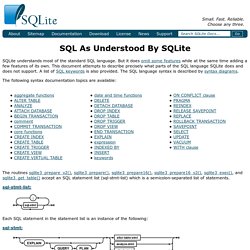
Fast. Reliable.Choose any three. SQLite understands most of the standard SQL language. But it does omit some features while at the same time adding a few features of its own. This document attempts to describe precisely what parts of the SQL language SQLite does and does not support. The following syntax documentation topics are available: The routines sqlite3_prepare_v2(), sqlite3_prepare(), sqlite3_prepare16(), sqlite3_prepare16_v2(), sqlite3_exec(), and sqlite3_get_table() accept an SQL statement list (sql-stmt-list) which is a semicolon-separated list of statements. sql-stmt-list: Each SQL statement in the statement list is an instance of the following: sql-stmt: