
Post Types. Languages: English • 日本語 • Português do Brasil • Nederlands • Slovenčina • (Add your language) WordPress can hold and display many different types of content.

A single item of such a content is generally called a post, although post is also a specific post type. Internally, all the post types are stored in the same place, in the wp_posts database table, but are differentiated by a column called post_type. WordPress 3.0 gives you the capability to add your own custom post types and to use them in different ways. Default Post Types There are five post types that are readily available to users or internally used by the WordPress installation by default : Post (Post Type: 'post') Page (Post Type: 'page') Attachment (Post Type: 'attachment') Revision (Post Type: 'revision') Navigation menu (Post Type: 'nav_menu_item')
Function Reference/query posts. Languages: English • Italiano • 日本語 • 中文(简体) • Português do Brasil • (Add your language) Description Note: This function isn't meant to be used by plugins or themes.
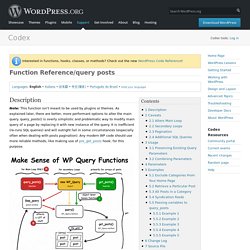
As explained later, there are better, more performant options to alter the main query. query_posts() is overly simplistic and problematic way to modify main query of a page by replacing it with new instance of the query. It is inefficient (re-runs SQL queries) and will outright fail in some circumstances (especially often when dealing with posts pagination). Any modern WP code should use more reliable methods, like making use of pre_get_posts hook, for this purpose. query_posts() is a way to alter the main query that WordPress uses to display posts. It should be noted that using this to replace the main query on a page can increase page loading times, in worst case scenarios more than doubling the amount of work needed or more. Query_posts(), personalizando nuestros blogs. Query_posts(), personalizando nuestros blogs 13 ene aNieto2k hace 2288 días en: hacks, webdev, Wordpress query_posts() es una de las funciones estrella de WordPress.

Con ella podemos modificar la salida por pantalla haciendo que : Solo aparezca un post o una páginaMostrar todos los posts en un tiempo determinadoMostrar solo los últimos posts en la principalCambiar el orden de los postsMostrar los posts de una sola categoría.Y muchas cosas más… query_posts(), es un interfaz para modificar las consultas a base de datos facilitandonos la tarea reduciendo nuestra labor a introducir una serie de modificadores que serán pasados como parámetro a la función y que nos modificará la salida de posts. Esta función está pensada para ser usada junto al famoso Loop de WordPress que se encargará de mostrar el resultado de query_posts() con los modificadores que nosotros les hayamos pasado. Ejemplo de uso Parámetros query_posts() nos permite enviar una serie de parámetros que podemos separar en varios tipos: tag. How to Add a Metabox to a Custom Post TypeWordPress Theming.
Update (7/1/14): I created a boilerplate plugin that has custom metaboxes.

Everything in this post is still valid, but if you want to just have working code to edit and play with, check this out on GitHub. Most custom post types in WordPress will need (or could benefit from) a unique set metaboxes for entering information. For example, a “photography” post type might need fields for “location of photo”, “type of camera”, etc. And an “event” post type would probably need a “location” and an “event date”. Metaboxes aren’t the easiest to set up- so I’ve written up this tutorial which shows how to add a one line field for “location” to an “event” post type.
Hopefully, you’ll be able to use this guide to add any sort of metaboxes you need. Set Up the Post Type If you are unfamiliar with how to set up custom post types, check out Justin Tadlock’s excellent tutorial. You may have your own custom post type set up completely different, but that’s fine. Add Meta Box For the example above: Saving Related.