
Weak references - How to use WeakReference in Java and Android development. Androlate BETA released. Pakerfeldt/android-viewflow - GitHub. Understanding User Interface in Android - Part 3: More Views. In the previous article, you saw the various basic views such as the TextView, EditText, Button, and how you can use them in your Android applications.

In this article, we shall continue our exploration of another three categories of views - Picker views, List views, and Display views. The views discussed include: TimePicker viewDatePicker viewListView viewSpinner viewGallery viewImageViewImageSwitcher viewGridView view Note: for all the examples in this article, you shall use the project created in the previous article. Picker Views Selecting date and time is one of the very common tasks you need to perform in a mobile application. TimePicker View The TimePicker view allows users to select a time of the day, in either 24 hour mode or AM/PM mode. Add a new class to the src/net.learn2develop.AndroidViews folder and name it as DateTimePickerExample.java. Modify the AndroidManifest.xml file to register the new activity: Press F11 to debug the application on the Android emulator.
DatePicker View. Understanding User Interface in Android - Part 4: Even More Views. In this final installation of the Android Views series of articles, we shall continue our exploration of another category of views – Menu views, and some additional cool views.

The views discussed include: Context MenuOptions MenuAnalogClockDigitalClockWebView Note: for all the examples in this article, you shall use the project created in the previous article. Menus Menus are useful for displaying additional options that are not directly visible on the main UI of an application. Context Menu – displays information related to a particular view on an activity. Figure 1 shows an example of an options menu in the Browser application. Figure 1 – The options menu in the Browser application Figure 2 shows a context menu that is displayed when the user presses and holds on a hyperlink displayed on the page.
Figure 2 – The context menu in the Browser application To see how to implement menus in Android, add a new file to the res/layout folder and name it as menu.xml. Understanding User Interface in Android - Part 2: Views. In the previous article on Android UI you saw the components that make up the UI of an Android application.

The basic unit of the Android UI is the View. A View represents a widget that has an appearance on the screen. In this article (and the next two), you will learn about the various common views that you would likely use in your journey of Android development. In particular, I have categorized the views in this series into the following group: Basic Views – commonly-used views such as TextView, EditText, and Button viewsPicker Views – views that allows users to select from, such as the TimePicker and DatePicker viewsList Views – views that display a long list of items, such as the ListView and the Spinner viewsDisplay Views – views that display images, such as the Gallery and ImageSwitcher viewsMenus – views that displays additional and context sensitive menu itemsAdditional Views – interesting views such as the AnalogClock and DigitalClock views Figure 1 Naming your project Summary.
Understanding User Interface in Android - Part 1: Layouts. So far in my previous few articles on Android I have focused on showing you how to get things done in Android without really spending too much time discussing the visual aspect of Android application development - User Interface design.
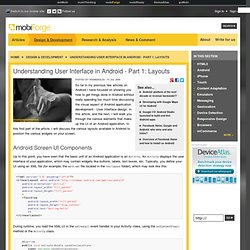
In this article, and the next, I will walk you through the various elements that make up the UI of an Android application. In this first part of the article, I will discuss the various layouts available in Android to position the various widgets on your screen. Android Screen UI Components Up to this point, you have seen that the basic unit of an Android application is an Activity. An Activity displays the user interface of your application, which may contain widgets like buttons, labels, text boxes, etc.
During runtime, you load the XML UI in the onCreate() event handler in your Activity class, using the setContentView() method of the Activity class: Views and ViewGroups An Activity contains Views and ViewGroups. Android supports the following ViewGroups: