
PDF Image Extract Wizard - Saves pictures from inside PDFs - Fre. With PDF Wiz you can extract bitmap images embedded in PDF documents and save them as individual image files. You can choose to extract all pictures in a single click, or limit to specific pdf pages and/or image sizes. Images are ripped straight from the PDF document . This means that extracted images will have the , only limited by the document's original quality settings! PDF Wiz can also render complete pages as separate images at desired resolution. You can choose to rotate the pages, make the paper background transparent, apply gamma correction and many other useful options. Saves images from inside pdf documents. No re-compression for best possible quality. Easy to use wizard style program.
Batch mode: extract from multiple PDF's in one go. Does not require Adobe Acrobat. Can be limited to specific pages. Extract everything, or only large or small images. Saves images as Jpeg, Tiff, Png, Bmp and Tga. Extracts from password protected docs. Rotates, flips & merges grabbed images if needed. Pdfforge.org. Pdftk - the pdf toolkit. PDFtk - The PDF Toolkit PDFtk is a simple tool for doing everyday things with PDF documents.
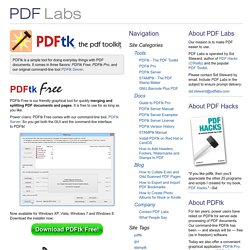
It comes in three flavors: PDFtk Free, PDFtk Pro, and our original command-line tool PDFtk Server. PDFtk PDFtk Free is our friendly graphical tool for quickly merging and splitting PDF documents and pages. It is free to use for as long as you like. Power Users: PDFtk Free comes with our command-line tool, PDFtk Server. Now available for Windows XP, Vista, Windows 7 and Windows 8.
Use PDFtk Pro to quickly split, merge, rotate, watermark, stamp and secure PDF pages and documents. Power Users: PDFtk Pro comes with our command-line tool, PDFtk Server. Only $3.99! Now available for Windows XP, Vista, Windows 7 and Windows 8. PDFtk Server is our original command-line tool. Learn More About PDFtk Server About PDF Labs Our mission is to make PDF easier to use.
PDF Labs is operated by Sid Steward, author of PDF Hacks (O’Reilly) and the popular PDF Toolkit. Merge PDF Documents Easily and for Free using MergePDF.net. How to merge PDF files?
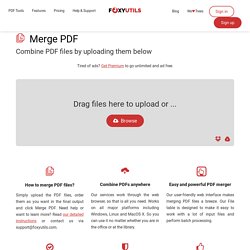
Simply upload the PDF files, order them as you want in the final output and click Merge PDF. Need help or want to learn more? Read our detailed instructions or contact us via support@foxyutils.com. Combine PDFs anywhere Our services work through the web browser, so that is all you need. Easy and powerful PDF merger Our user-friendly web interface makes merging PDF files a breeze. Stay up to date with your PDF software No need to update your software, or deal with installation issues. Secure file transfers and handling All files are transferred over a secure encrypted connection (https) to maximize the security of your files. PDFTK Builder and other PDF Resources. PDFTK Builder is a free graphical interface to PDFTK.

Join - 'Join' allows you to combine pages from multiple PDF documents and/or rearrange pages in a single document (reorder, delete, & duplicate). Multiple documents will be joined in the order they are listed in the 'Source Documents' window. If you wished to insert pages from one document into the middle of another, the main document would have to be listed twice, once before (listing pages to appear before) and once after (listing pages to appear after) the document containing the pages to be inserted. If page ranges are not specified, PDFTK Builder will assume all pages for that document are to be included. Page ranges for each document in the list can be indicated by using a single page number, or a hyphen between start and end pages (reversed page orders are allowed).
For example: Given the range "2-6,9,10" in a 12 page document, then pages 1,7,8,11 and 12 will be omitted from the output file. Pdfzone – Alles zu PDF. Convert PDF to Word (DOC) — 100% Free! Issuu - You Publish. .html-pdf-converter.